Protecting against auto clickers
Goal: Stop tools that press a button faster than a person, and still let honest players click as fast as your game allows.
The problem
An auto clicker, a macro, or a script can press a button hundreds of times a second. A person cannot.
That is an unfair advantage when each press gives something:
- Clicker games gain resources per click.
- A pistol fires as fast as a machine gun.
- Rhythm games get notes from spam instead of timing.
- Menus and crafting repeat faster than you planned.
A normal player clicks about 6 to 8 times a second. A trained player can burst higher for a moment. An auto clicker can stay at 30, 100, or more.
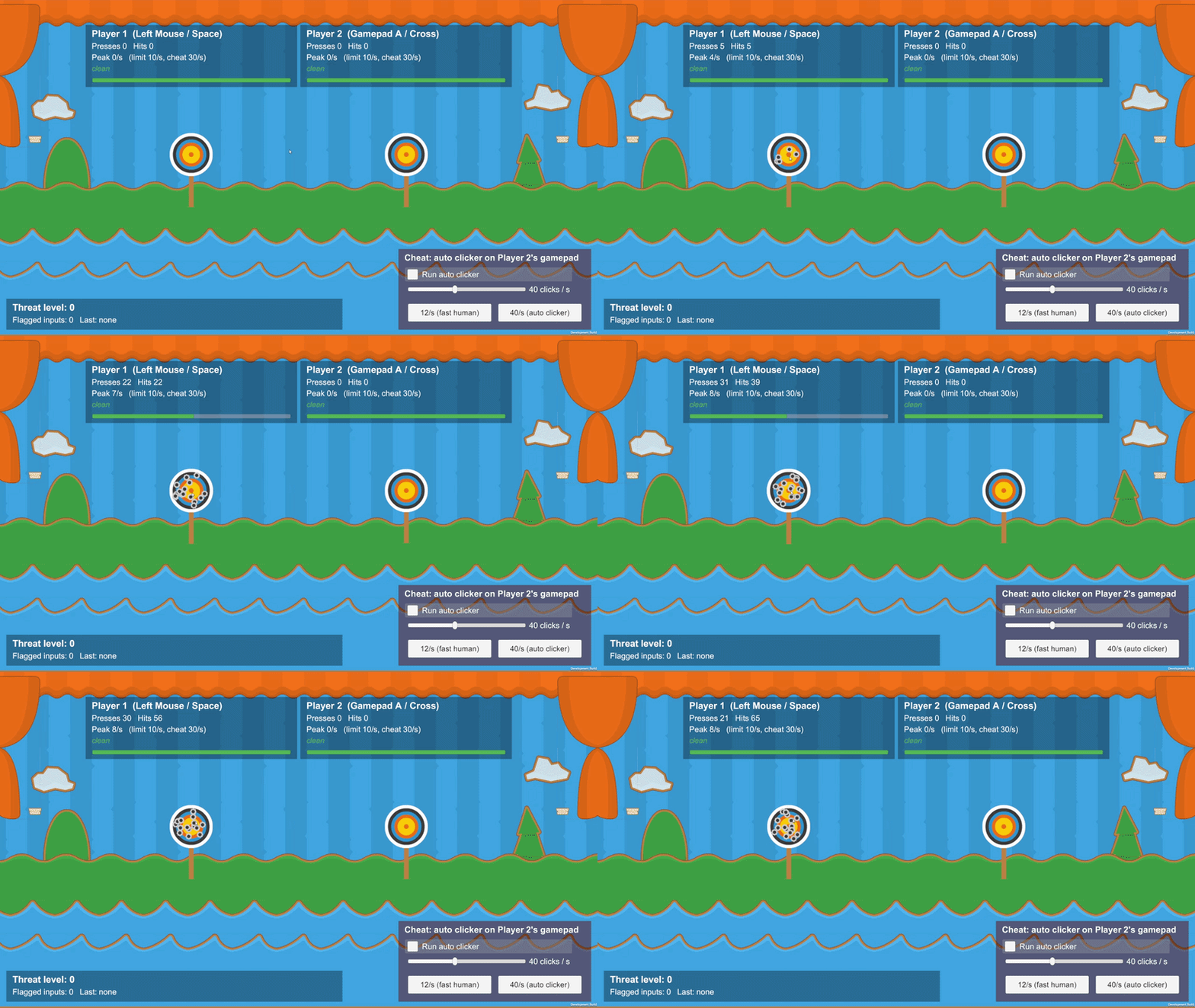
A player clicking at a human rate.
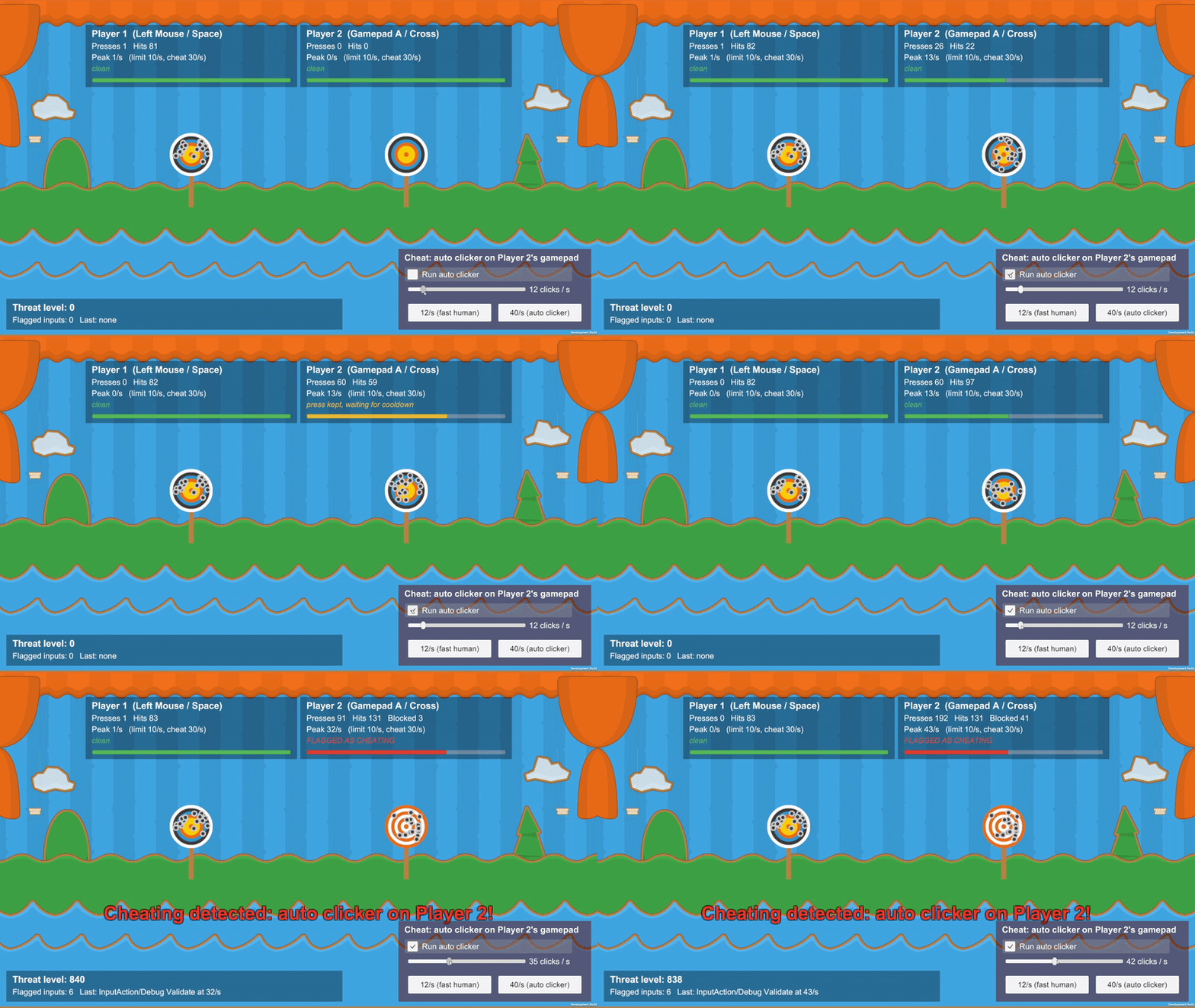
An auto clicker on player 2's gamepad. The cheat is detected, and the button is limited.
The solution
Three pieces work together:
- Input Monitor counts presses for each button on each device.
- Input Cheating Detector reports a button that is far too fast, and holds the allowed rate.
- ProtectedInput is what you call in gameplay code. It lets each button through only so often.
You need the Input System package. The old Input Manager alone is not enough.
Two limits
Both numbers are on the Input Cheating Detector.
| Setting | Default | Meaning |
|---|---|---|
| Max Presses Per Second | 10 | How often ProtectedInput lets the button fire. Extra presses wait their turn |
| Cheating Presses Per Second | 30 | How fast a button must be before it is reported as a cheat |
Keep a gap between the two. 10 is a fast but fair game. 30 is faster than a person can keep up.
Step 1: Add the detector
Drag Input Cheating Detector from Assets/GUPS/AntiCheat/Resources/Prefabs/Detectors onto the AntiCheat-Monitor. The monitor prefab already includes it.
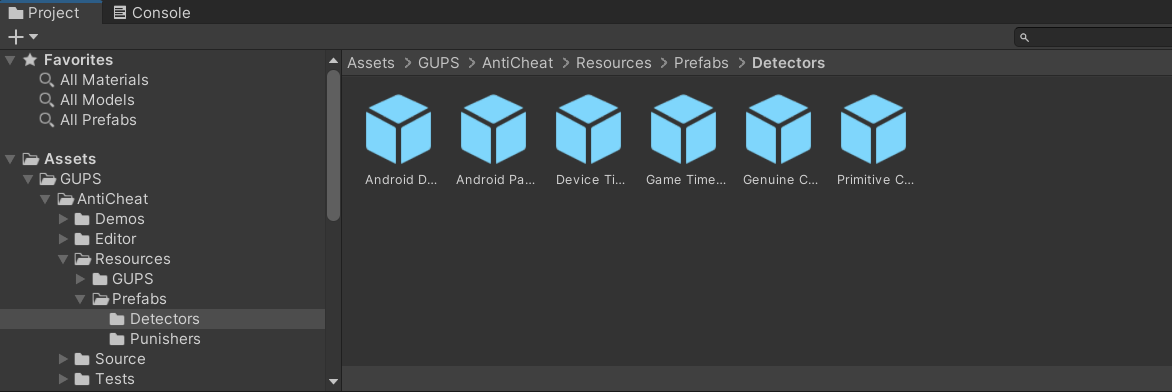
Detector prefabs. The Input Cheating Detector includes its monitor.
The monitor and detector must be on the same object. The prefab does that for you.
Without the detector, ProtectedInput still limits buttons to 10 presses a second. Nothing is reported.
Step 2: Set the limits
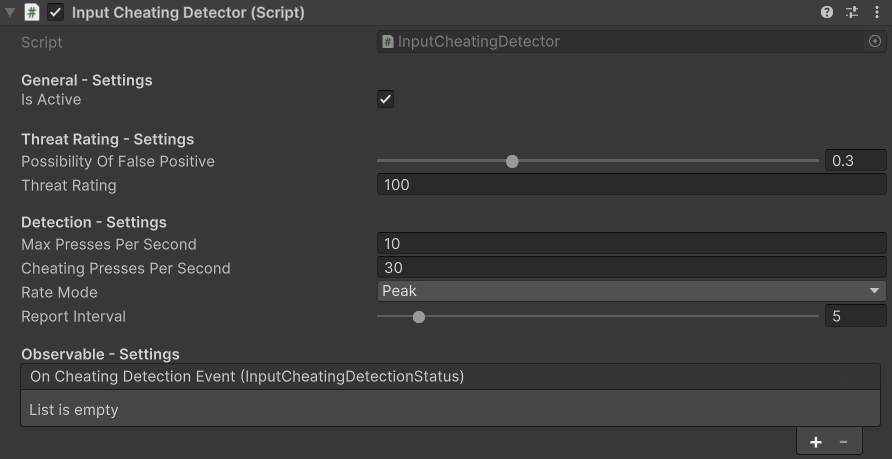
Input Cheating Detector settings.
| Setting | Default | What it does |
|---|---|---|
| Is Active | On | Turns the detector on or off |
| Threat Rating | 100 | How much each report adds to the threat score |
| Max Presses Per Second | 10 | The rate your game allows |
| Cheating Presses Per Second | 30 | The rate that counts as a cheat |
| Rate Mode | Peak | Peak reacts to a short burst. Average waits for a high rate over the whole window |
| Report Interval | 5 seconds | How often the same button is reported while it stays too fast |
| On Cheating Detection Event | Empty | Functions to call when a cheat is found |
The monitor's Window Seconds (default 5) is how long presses are remembered.
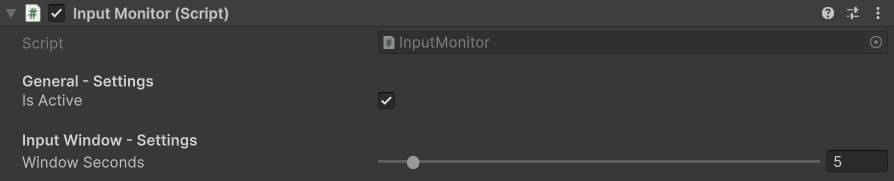
Input Monitor settings.
You can change the limits while the game runs, for example per weapon:
var detector = AntiCheatMonitor.Instance.GetDetector<InputCheatingDetector>();
detector.MaxPressesPerSecond = 8;
detector.CheatingPressesPerSecond = 25;
Step 3: Use ProtectedInput
Protect presses that give an advantage: shots, clicks that add score, buy, craft, open. You do not need it for walking or for a button that is only held down.
Mouse:
using GUPS.AntiCheat.Protected.Input;
using UnityEngine.InputSystem.LowLevel;

if (ProtectedInput.GetMouseButtonDown(MouseButton.Left))
{
    this.Shoot();
}
A second player's gamepad. Each controller has its own limit:
if (ProtectedInput.GetGamepadButtonDown(GamepadButton.South, playerTwoGamepad))
{
    playerTwo.Shoot();
}
An input action:
if (ProtectedInput.WasPressedThisFrame(this.fireAction))
{
    this.Shoot();
}
The same idea works for keys, touch, and the performed callback. The full list is on Protected Input.
A press that comes too early
By default it is kept, not thrown away. It fires as soon as the short wait is over. A person who clicks a little too fast loses nothing. An auto clicker at 100 clicks a second still only gets 10 shots.
Note
A rhythm game may want to drop early presses instead. That is the source constant ProtectedInput.KeepEarlyPresses. Change it in the AntiCheat script. It is not an Inspector setting.
Step 4: React
Use On Cheating Detection Event on the detector, or ignore a button that is already flagged:
InputId leftButton = InputId.MouseButton(MouseButton.Left, Mouse.current);

if (ProtectedInput.GetMouseButtonDown(MouseButton.Left)
    && !ProtectedInput.IsFlaggedAsCheating(leftButton))
{
    this.AddCoin();
}
The same patterns as Reacting to cheating work here too.
Step 5: Turn the Input System on
Install com.unity.inputsystem (1.1 or newer). Under Edit > Project Settings > Player > Active Input Handling, choose Input System Package or Both.
If only the old Input Manager is active, ProtectedInput is not compiled.
The result
- An auto clicker at 100 clicks a second gets 10 actions a second. That is the same as a fast honest player at the limit.
- The detector reports that button, and the threat score rises while the tool keeps running.
- A normal player does not notice the limit.
- In local multiplayer, one player's macro does not slow the other player.