Universal - Input - Detector (Pro)
Auto clickers and macros press a button faster than a person can. That matters in clicker games, rhythm games, weapons, and fast menus. This detector reads the input monitor and reports rates that are too fast.
Walkthrough: Protecting against auto clickers.
Detector
InputCheatingDetector (namespace GUPS.AntiCheat.Detector.Input) watches the press rate of each input on each device. An input is reported when it reaches CheatingPressesPerSecond (default 30) on one device. In local multiplayer, two players on two controllers do not add up to one rate.
The detector also stores the allowed rate: MaxPressesPerSecond (default 10). Detection does not use that number. ProtectedInput does. It delays or drops presses so each input fires at most that often.
Observed subject
In Awake, the detector subscribes to InputStatus from the InputMonitor on the same object. If that monitor is missing, the detector logs a warning and does nothing.
Status
The detector sends an InputCheatingDetectionStatus:
public struct InputCheatingDetectionStatus : IInputCheatingDetectionStatus
{
    // Probability that the detection is a false positive, in the range [0.0, 1.0].
    public float PossibilityOfFalsePositive { get; }

    // The threat rating reported with this detection.
    public uint ThreatRating { get; }

    // The input (key, mouse button, gamepad button, touch, ...) that triggered the detection, including its device (InputId.DeviceId).
    public InputId Input { get; }

    // The measured presses per second of the input (peak or average, see RateMode).
    public float PressesPerSecond { get; }

    // The configured presses per second from which on an input is considered cheating.
    public uint CheatingPressesPerSecond { get; }

    // The configured presses per second allowed through ProtectedInput.
    public uint MaxPressesPerSecond { get; }

    // How PressesPerSecond was derived from the monitored window (Peak or Average).
    public EInputRateMode RateMode { get; }
}
Threat rating and false positives
- PossibilityOfFalsePositive: default
0.3. Some real clicking styles, such as drag clicking, can briefly reach 20 to 30 clicks a second. That is why the default cheat line is 30, and why a false alarm is still possible. - ThreatRating: default
100(recommended 100). Thirty or more presses a second on one input is a strong sign of a tool.
Lifecycle and timing
- In
Awakeit subscribes to the monitor. - It checks every
InputStatuswhile Is Active is on. That is at most once per input per frame. If the rate hits the cheat line, the input is flagged,PossibleCheatingDetectedis set, and a report is sent. An inactive detector ignores the reports. - Report spacing: while an input stays over the line, it is reported at most once every
ReportIntervalseconds (default 5). A running auto clicker raises the score steadily. It does not add a score every frame. Each report is also written to the console as a warning. - Clearing the flag: every frame, flagged inputs are checked again. If the current window dropped below the line, the flag is cleared.
IsFlagged(InputId)tells you if one input is flagged.FlaggedInputCounttells you how many are flagged right now.
Configuration
- Is Active (
isActive, bool, default true): Turns the detector on or off. - Possibility Of False Positive (
possibilityOfFalsePositive, float 0 to 1, default 0.3): How likely a report is a false alarm. - Threat Rating (
threatRating, uint, default 100): How much one report adds to the threat score. - Max Presses Per Second (
maxPressesPerSecond, uint, at least 1, default 10): How often one input on one device may fire throughProtectedInput. At 10, that is at most once every 100 ms. An early press is kept and fires when the wait is over. If the constantProtectedInput.KeepEarlyPressesisfalse, the early press is dropped instead. - Cheating Presses Per Second (
cheatingPressesPerSecond, uint, at least 1, default 30): The rate that counts as an auto clicker or macro. The Inspector keeps this at or above Max Presses Per Second. - Rate Mode (
rateMode, default Peak): How the rate is read from the window.Peakis the busiest one second. It can react within a second.Averageis presses in the window divided by the window length. It needs a rate that stays high, and it causes fewer false alarms. - Report Interval (
reportInterval, float 0 to 60, default 5): The shortest wait between two reports of the same input while it stays over the line. - On Cheating Detection Event (
OnCheatingDetectionEvent): Functions to call when a cheat is found.
Supported platforms
Every platform.
Requirements
An InputMonitor must be on the same object. The Input System package (com.unity.inputsystem) must be installed and active. See the monitor page.
How to use
Add InputMonitor if it is not there yet, and add InputCheatingDetector as a child of the AntiCheat-Monitor. Read input through ProtectedInput.
Add the monitor
Put InputMonitor on the same object. The detector subscribes to InputStatus.
Add the detector
Manual
Add InputCheatingDetector from GUPS.AntiCheat.Detector.Input, next to the monitor.
Prefab
The prefab is GUPS/AntiCheat/Resources/Prefabs/Detectors/Input Cheating Detector. It includes the monitor and the detector. The Anti Cheat Monitor prefab includes it too.
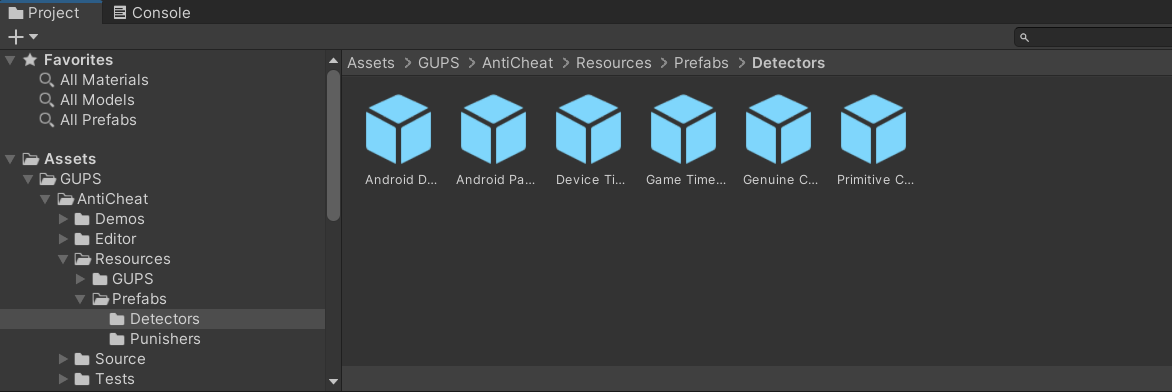
Add the Input Cheating Detector prefab to the AntiCheat-Monitor.
Settings
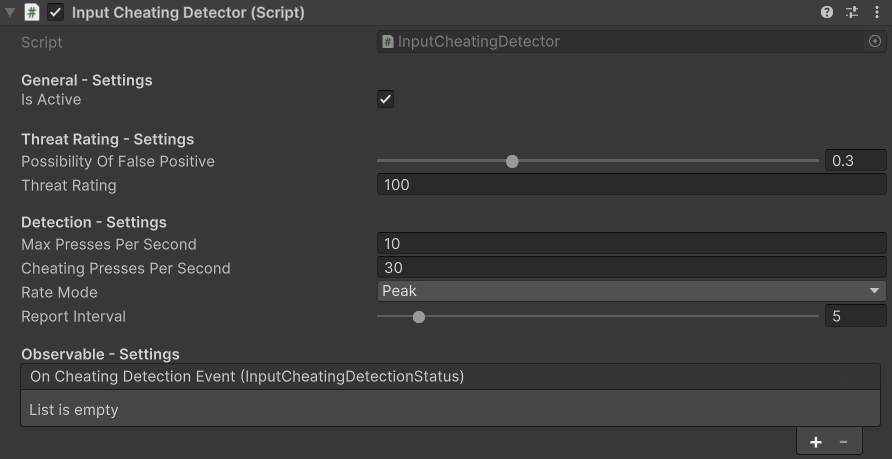
The InputCheatingDetector settings.
- General Settings: Turn the detector on or off.
- Threat Rating Settings: False-alarm chance, and how serious one find is.
- Detection Settings: Allowed rate, cheat line, rate mode, and report wait.
- Observable Settings: Functions to call when cheating is found.
Runtime
Read "pressed this frame" through ProtectedInput. Each input is then limited to Max Presses Per Second.
using GUPS.AntiCheat.Protected.Input;
using UnityEngine;
using UnityEngine.InputSystem.LowLevel;

public class Weapon : MonoBehaviour
{
    private void Update()
    {
        // Fires at most 10 times per second, no matter how fast the mouse is clicked.
        if (ProtectedInput.GetMouseButtonDown(MouseButton.Left))
        {
            this.Shoot();
        }
    }
}
You can also ask if an input is flagged right now. Pass the device. Flags are per device.
using GUPS.AntiCheat;
using GUPS.AntiCheat.Core.Input;
using GUPS.AntiCheat.Detector.Input;
using UnityEngine.InputSystem;
using UnityEngine.InputSystem.LowLevel;

var detector = AntiCheatMonitor.Instance.GetDetector<InputCheatingDetector>();

if (detector.IsFlagged(InputId.MouseButton(MouseButton.Left, Mouse.current)))
{
    // The left button of the current mouse is driven by an auto clicker.
}
Read the detection in code
You can also listen yourself. Subscribe returns an IDisposable. Dispose it when you want to stop.
using System;
using GUPS.AntiCheat;
using GUPS.AntiCheat.Core.Detector;
using GUPS.AntiCheat.Detector.Input;
using UnityEngine;

public class InputDetectionLogger : MonoBehaviour, IObserver<IDetectorStatus>
{
    private void Start()
    {
        var detector = AntiCheatMonitor.Instance.GetDetector<InputCheatingDetector>();
        detector.Subscribe(this);
    }

    public void OnNext(IDetectorStatus status)
    {
        if (status is IInputCheatingDetectionStatus input)
        {
            // e.g. "Auto clicker on Gamepad/South#17: 64 presses/s (threshold 30/s)." - '#17' is the device id.
            Debug.LogWarning($"Auto clicker on {input.Input}: {input.PressesPerSecond:0.#} presses/s (threshold {input.CheatingPressesPerSecond}/s).");
        }
    }

    public void OnError(Exception error) { }
    public void OnCompleted() { }
}
React when a cheat is found
The detector tells the AntiCheat-Monitor. The monitor adds the report to the threat score.
Punisher. Add a punisher prefab as a child of the monitor. It runs when the score reaches its limit.
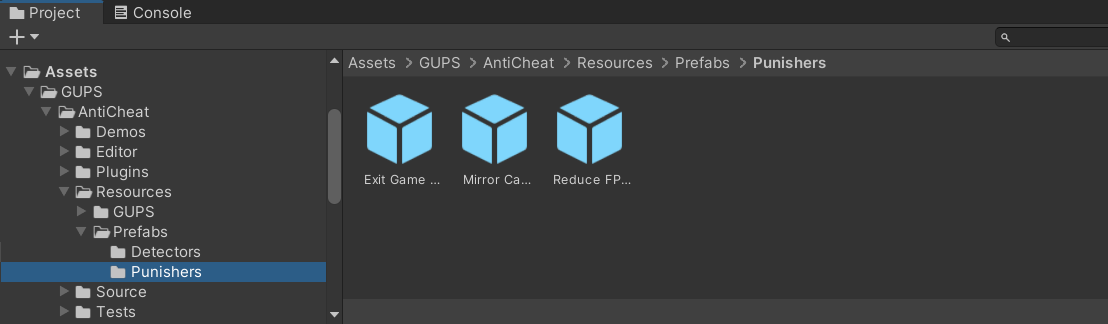
Built-in punisher prefabs.
Inspector. Add a function to On Cheating Detection Event. It runs when this detector finds a cheat.

Inspector callbacks on a detector.
Code.
var detector = AntiCheatMonitor.Instance
      .GetDetector<InputCheatingDetector>();

detector.Subscribe(myObserver);
PossibleCheatingDetected stays true after the first find.