Protecting an Android build (Pro)
Goal: You will learn how to notice a shared or edited copy of your Android app, and how to turn those checks on.
The problem
Android apps are easy to download, edit, and share again. A changed copy can come from the wrong store, contain different code, use someone else's signature, or include an extra library with cheats.
The Demo_Android scene shows what that can look like in a small game.
The solution
Use the Android Package Cheating Detector. It is already on the Anti Cheat Monitor prefab. It compares the running app with what you expect.
Open Edit > Project Settings > GuardingPearSoftware > AntiCheat and use the Android tab.
Note
Verify development builds is off by default. While it is off, these checks skip the Editor and development builds.
Step 1: Allow only the stores you trust
Cheaters often share an edited app as a direct download.
Open Android - App Store - Settings.
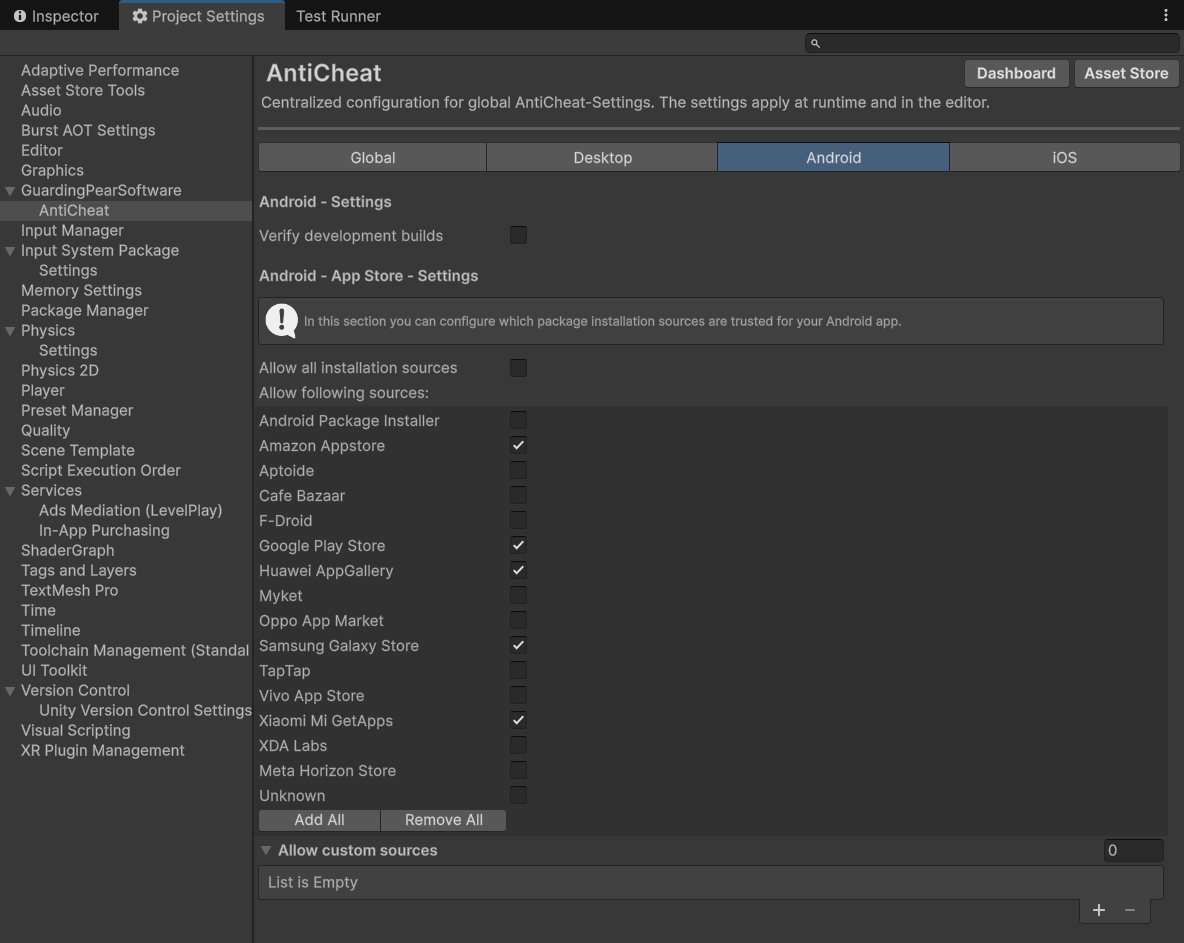
Allowed install sources.
| Setting | What it does |
|---|---|
| Allow all installation sources | On: every store is allowed. Off: only the list below is allowed |
| Allow following sources | Stores you trust, such as Google Play |
| Allow custom sources | A store that is not in the list. Enter its package name, for example com.android.vending |
Step 2: Check that the app file was not changed
After you build, AntiCheat prints a hash of the app in the Editor console. Put that text on a server. When the app starts, it downloads the text and compares it with the app on the device.

The app hash in the console after a build.
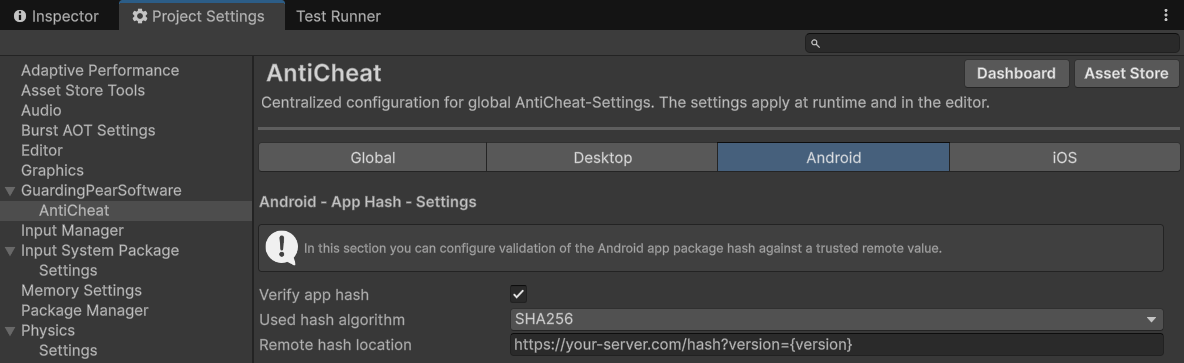
Hash settings.
| Setting | What it does |
|---|---|
| Verify app hash | Turn the check on |
| Used hash algorithm | SHA-256 is the recommended choice |
| Remote hash location | A web address that returns only the hash text. {version} is replaced with Application.version |
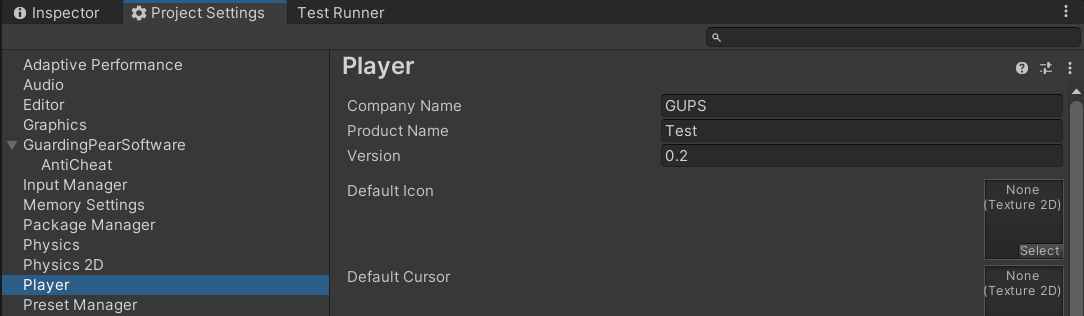
Set Application.version under Edit > Project Settings > Player.
Note
The hash changes on every build, even when the game looks the same. Return the hash of the build you shipped. Use {version} in the address if you keep more than one build online.
The server response is only the hash text:
app.get('/hash', (req, res) => {
    if (req.query.version === '0.2') {
      res.send('00:E4:C4:13:2F:09:91:4A:...');
      return;
    }
    res.send('Unknown version');
});
Step 3: Check who signed the app
The signature shows the app was signed with your key. It stays the same as long as you keep that key.
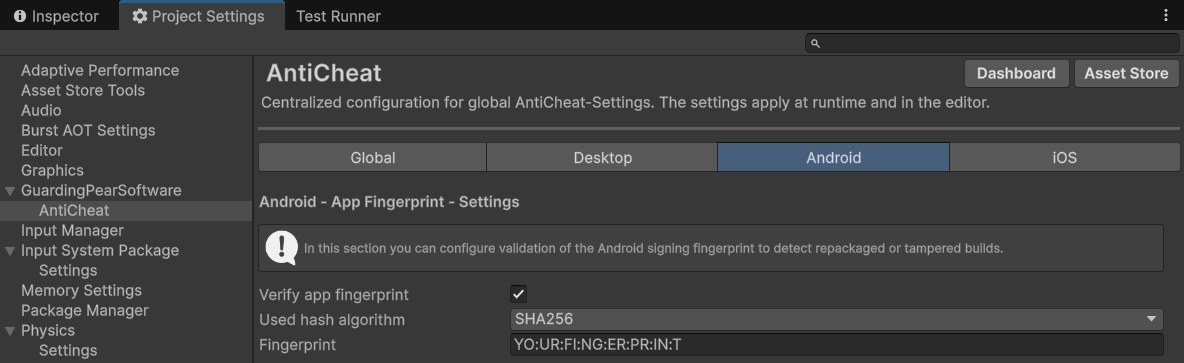
Fingerprint settings.
| Setting | What it does |
|---|---|
| Verify app fingerprint | Turn the check on |
| Used hash algorithm | SHA-256 is the recommended choice |
| Fingerprint | The signature text from your keystore |
The keystore is set under Edit > Project Settings > Player > Publishing Settings.

The Android publishing key.
Read the fingerprint from the keystore:
keytool -list -v -keystore "[Project]/user.keystore"
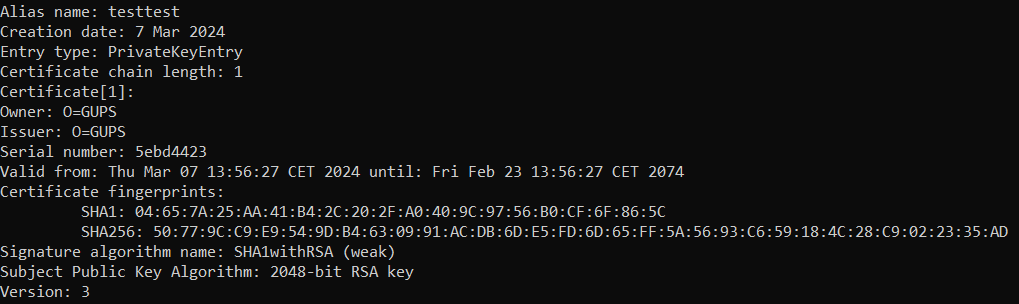
Copy the SHA-256 fingerprint into the AntiCheat settings.
Step 4: Watch for extra libraries
A common mod adds a new library instead of editing your code. List the libraries that belong in your app, and list any library you want to reject.
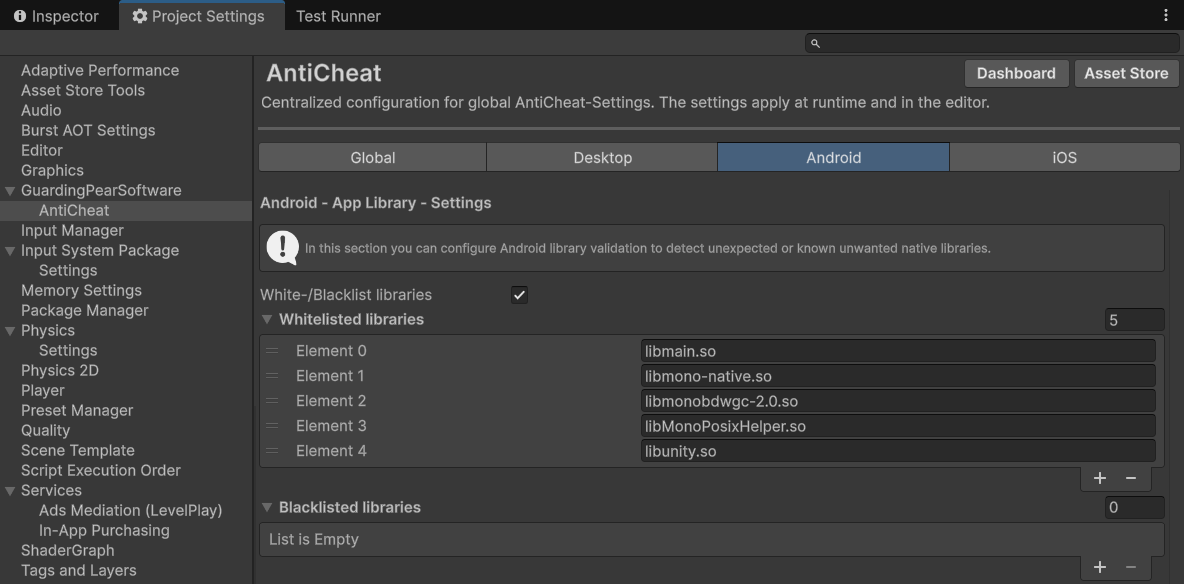
Library allow and block lists.
| Setting | What it does |
|---|---|
| White-/Blacklist libraries | Turn both lists on. Off means every library is allowed |
| Whitelisted libraries | Libraries that may be in the app. Anything else is reported |
| Blacklisted libraries | Libraries that must not be in the app |
Open the built app in a zip tool, look in the library folder, and enter each file name with its extension.
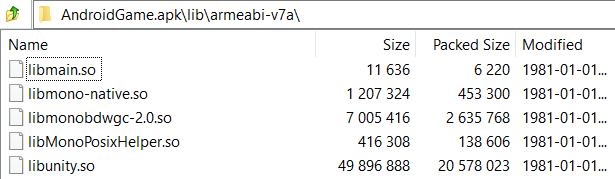
Libraries inside a built Android app.
The result
A repacked app can fail one or more of these checks. The detector raises the threat score, and you can warn the player or turn a feature off.
Settings reference: Android package tampering.
Next steps
- Cheat apps on the device if the phone has a memory tool installed next to your game.
- Reacting to cheating and Punishing cheaters.