Universal - Game Time - Detector (Pro)
Many games use Time.deltaTime for movement and cooldowns. A speed hack can make that clock run too fast, too slow, or stop. This detector notices that and keeps ProtectedTime on real speed.
Walkthrough: Protecting against speedhacks.
Detector
GameTimeCheatingDetector (namespace GUPS.AntiCheat.Detector) watches Unity's clock speed and fixedDeltaTime. Speed-hack tools are the usual cause. It listens to GameTimeMonitor. That monitor compares Unity's clock with a real-time clock that speed hacks cannot easily fake. The detector looks at those reports in short windows.
It also corrects the clock. After cheating is seen, GUPS.AntiCheat.Protected.Time.ProtectedTime keeps real speed while Time is being changed. A changed fixedDeltaTime is written back to the allowed value.
Observed subject
In Awake, the detector subscribes to GameTimeStatus from the GameTimeMonitor on the same object. If that monitor is missing, the detector logs a warning and does nothing.
Status
The detector sends a CheatingDetectionStatus:
public struct CheatingDetectionStatus : IDetectorStatus
{
    // Probability that the detection is a false positive, in the range [0.0, 1.0].
    public float PossibilityOfFalsePositive { get; }

    // The threat rating reported with this detection.
    public uint ThreatRating { get; }
}
Threat rating and false positives
- PossibilityOfFalsePositive:
0.25(fixed). The real-time clock is not fooled by a hitch, garbage collection, or a scene load. Those used to cause most false alarms. What remains is a slightly uneven timer, or a reference clock that the CPU starved. The vote below filters those. - ThreatRating: default
25(recommended 25). It is added for every window that still looks like cheating. A window is about 2.5 seconds. A hack that stays on keeps adding to the score.
Lifecycle and timing
- In
Awakeit subscribes to the monitor and sets up its time. It also listens forSceneManager.sceneLoadedso protected time since level load can reset. InOnDestroyit unsubscribes. - It advances the protected clock every frame in
Update. The detector usesDefaultExecutionOrder(-1000).ProtectedTimethen holds one value for the whole frame, likeUnityEngine.Time. - Reports are grouped in windows of 25. The monitor reports about ten times a second, so a window is about 2.5 seconds. The windows do not overlap. At the end of each window:
- Clock cheating is confirmed when 13 or more reports agree on one kind:
SpeedUp,SlowedDown, orStopped. A few scattered reports do not confirm. - Fixed-delta cheating is confirmed when at least one check in the window found
Time.fixedDeltaTimedifferent from the allowed value. There is one check per monitor report. - If either is confirmed,
PossibleCheatingDetectedbecomes true. Listeners and the Inspector event are told once for that window. This repeats for every window that still confirms cheating. - If neither is confirmed,
PossibleCheatingDetectedbecomes false again. Turning the hack off stops the reports after at most one more window.
- Clock cheating is confirmed when 13 or more reports agree on one kind:
Clock correction
Until the first bad report, ProtectedTime copies UnityEngine.Time. After that, each frame uses Unity's real time multiplied by a correction. The correction follows every monitor report, not the window vote. It is 1 when the report looks honest, and 1 / SpeedFactor when it does not.
While a report is bad, that step is also limited by the reference clock. Protected time may not run more than 100 ms ahead of the last report. A clock that fell behind catches up on the next report.
Changing the hack speed does not jump the clock forward. An old speed factor cannot add seconds of hacked time while the one-second window catches up. The short span that still used the old correction is put back on real time when the guard starts. The cheat notification still waits for the 25-report vote.
When the hack stops, the correction returns to 1. The protected clock keeps going. It does not jump back to Unity's sped-up time.
Like Unity, the protected frame steps (deltaTime, unscaledDeltaTime, and the clocks built from them) are limited by Time.maximumDeltaTime. A hitch or a focus loss does not make a huge step. realtimeSinceStartup is not limited while the clock looks honest. That matches Unity.
Fixed delta time
If Time.fixedDeltaTime is not the allowed value, that value is written back at once.
What the detector detects and what it does not
- Detects speed hacks that change the clocks the game can read, such as Cheat Engine Speedhack. It also detects a memory edit of Unity's clock, a frozen reference clock, and a
fixedDeltaTimechange that did not go throughProtectedTime.fixedDeltaTime. - Does not detect changes to
Time.timeScale. Pause and slow motion are normal.ProtectedTime.timeScaleis a plain pass-through in this version. - Does not detect a tool that slows the whole computer, not just the game. The reference clock slows with it.
Configuration
- Is Active (
isActive, bool, default true): Turns the detector on or off. - Threat Rating (
threatRating, uint, default 25): How much one confirming window adds to the threat score. - Detect Delta Time Cheating (
detectDeltaTimeCheating, bool, default true): React when the clock is sped up or slowed down. - Detect Fixed Delta Time Cheating (
detectFixedDeltaTimeCheating, bool, default false): React whenfixedDeltaTimeis changed. Players sometimes do this to skip physics, for example to walk through walls. When this is on, change the physics step only throughProtectedTime.fixedDeltaTime. Any other value inTime.fixedDeltaTimeis reported and written back. While this is on,ProtectedTime.fixedDeltaTimereturns the allowed value. - On Cheating Detection Event (
OnCheatingDetectionEvent): Functions called for every window that confirms cheating.
Besides PossibleCheatingDetected, you can read DeltaTimeCheatingDetected and FixedDeltaTimeCheatingDetected. They tell the two kinds apart. TimeDeviation is the latest kind (Stopped, SlowedDown, or SpeedUp) while a speed hack is confirmed. It is None when the last window did not confirm one.
Supported platforms
Every platform. On WebGL the monitor cannot run its reference thread, so it falls back to DateTime.UtcNow. Protection is weaker there. See the monitor page.
Requirements
None, except a GameTimeMonitor on the same object.
How to use
Add GameTimeMonitor if it is not there yet, and add GameTimeCheatingDetector as a child of the AntiCheat-Monitor. Then choose how you want to react.
Add the monitor
The detector needs the monitor's reports. Put GameTimeMonitor on the same object. The detector subscribes to GameTimeStatus.
Add the detector
Manual
Add GameTimeCheatingDetector from GUPS.AntiCheat.Detector, next to the monitor. A child of the AntiCheat-Monitor is the best place.
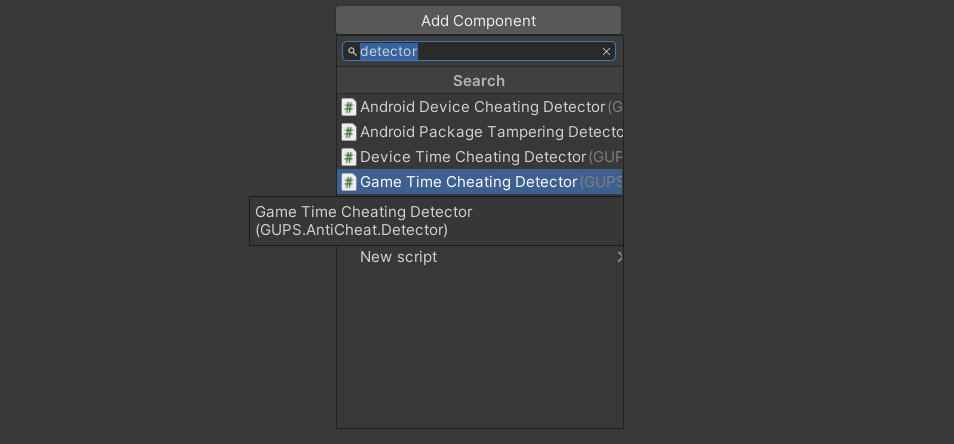
Add the GameTimeCheatingDetector component.
Prefab
The prefab includes the detector and the monitor.
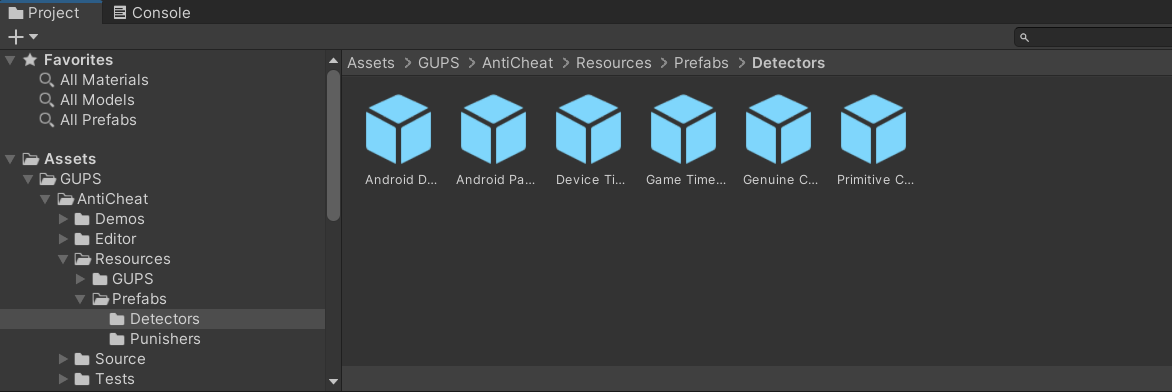
Add the Game Time Cheating Detector prefab to the AntiCheat-Monitor.
Settings
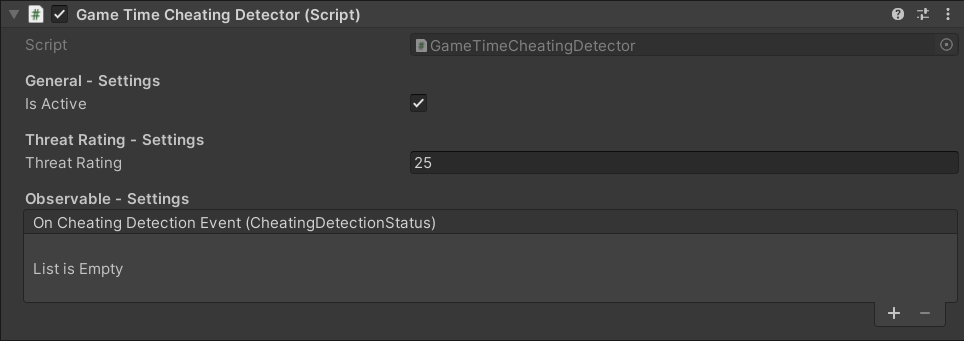
The GameTimeCheatingDetector settings.
- General Settings: Turn the detector on or off.
- Threat Rating Settings: How serious one find is.
- Detection Settings: React to clock speed, fixed delta time, or both.
- Observable Settings: Functions to call when cheating is found.
Runtime
Use GUPS.AntiCheat.Protected.Time.ProtectedTime instead of UnityEngine.Time:
// Replace your usage of the UnityEngine.Time class with GUPS.AntiCheat.Protected.Time.ProtectedTime.
public static class ProtectedTime
{
    // The time in seconds it took to complete the last frame (Read Only).
    public static float deltaTime { get; }

    // The interval in seconds at which physics and other fixed frame rate updates are performed. Use the setter to change it.
    public static float fixedDeltaTime { get; set; }

    // The real time in seconds since the game started (Read Only).
    public static float realtimeSinceStartup { get; }

    // The time at the beginning of this frame (Read Only). This is the time in seconds since the start of the game.
    public static float time { get; }

    // The scale at which the time is passing. This can be used for slow motion effects.
    public static float timeScale { get; set; }

    // The time this frame has started (Read Only). This is the time in seconds since the last level has been loaded.
    public static float timeSinceLevelLoad { get; }

    // The timeScale-independent interval in seconds from the last frame to the current one (Read Only).
    public static float unscaledDeltaTime { get; }

    // The timeScale-independent time for this frame (Read Only). This is the time in seconds since the start of the game.
    public static float unscaledTime { get; }
}
Read the detection in code
You can also listen yourself. Subscribe returns an IDisposable. Dispose it when you want to stop.
using System;
using GUPS.AntiCheat;
using GUPS.AntiCheat.Core.Detector;
using GUPS.AntiCheat.Detector;
using UnityEngine;

public class GameTimeDetectionLogger : MonoBehaviour, IObserver<IDetectorStatus>
{
    private void Start()
    {
        var detector = AntiCheatMonitor.Instance.GetDetector<GameTimeCheatingDetector>();
        detector.Subscribe(this);
    }

    public void OnNext(IDetectorStatus status)
    {
        Debug.LogWarning($"Game time cheating detected (threat={status.ThreatRating}, fp={status.PossibilityOfFalsePositive}).");
    }

    public void OnError(Exception error) { }
    public void OnCompleted() { }
}
React when a cheat is found
The detector tells the AntiCheat-Monitor. The monitor adds the report to the threat score.
Punisher. Add a punisher prefab as a child of the monitor. It runs when the score reaches its limit.
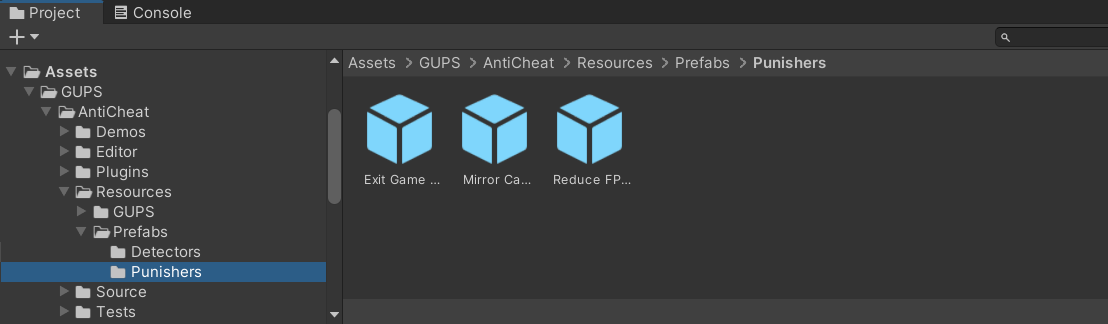
Built-in punisher prefabs.
Inspector. Add a function to On Cheating Detection Event. It runs when this detector finds a cheat.

Inspector callbacks on a detector.
Code.
var detector = AntiCheatMonitor.Instance
      .GetDetector<GameTimeCheatingDetector>();

detector.Subscribe(myObserver);
PossibleCheatingDetected follows the latest window. It is true while cheating is confirmed. It becomes false again when a window looks normal.