Universal - Device Time - Monitor (Pro)
Many games use the device clock for trials, daily rewards, or timers. The player can change that clock. AntiCheat can notice the change.
Walkthrough: Protecting against device clock cheating.
Monitor
DeviceTimeMonitor (namespace GUPS.AntiCheat.Monitor.Time) watches the device clock. When the app loses focus and comes back, it compares how much device time passed with how much game time passed. If those two do not match, it sends a DeviceTimeStatus to its listeners.
Status
The monitor sends a DeviceTimeStatus:
public struct DeviceTimeStatus : IWatchedSubject
{
    // Deviation between the device clock and the in-game elapsed time.
    public ETimeDeviation Deviation { get; }
}
Deviation uses this enum:
public enum ETimeDeviation : byte
{
    None = 0,       // No deviation detected.
    Stopped = 1,    // Time has effectively stopped.
    SlowedDown = 2, // Time is running slower than expected.
    SpeedUp = 3     // Time is running faster than expected.
}
Lifecycle and timing
This monitor does not check every frame. It checks when the app loses focus or pauses, and again when it comes back.
- When the app goes to the background, it stores
DateTime.UtcNowandTime.realtimeSinceStartup. - When the app comes back, it compares those two clocks. If they differ by more than the tolerance, it sends a
DeviceTimeStatus.
Listeners hear about it once per return, not all the time. Coming back can take a moment while the app wakes up. The tolerance keeps that delay from looking like a cheat.
Configuration
There is one Inspector field:
- Tolerance: How many seconds of difference are allowed before a report. Default 5. A range of 3 to 10 is a good start.
Supported platforms
The monitor works on every platform.
Requirements
There are no extra requirements.
How to use
Add DeviceTimeMonitor as a child of the AntiCheat-Monitor. Pair it with DeviceTimeCheatingDetector.
Add the component
Add DeviceTimeMonitor from GUPS.AntiCheat.Monitor.Time. A child of the monitor is the best place.
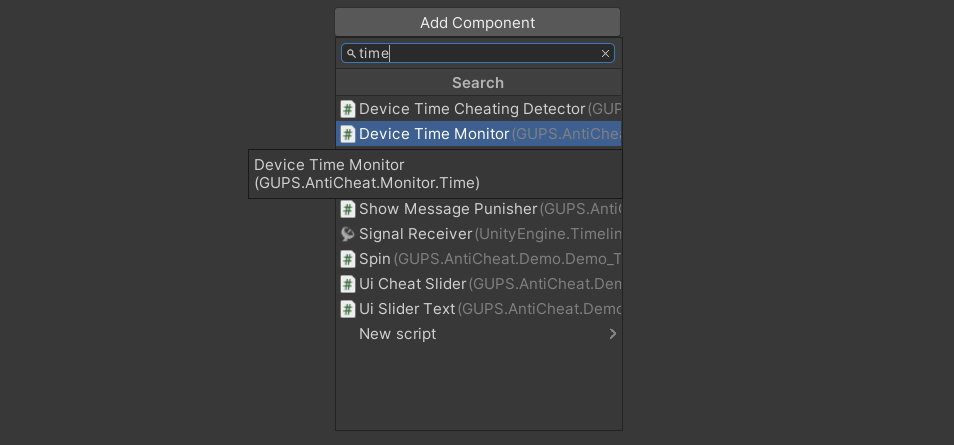
Add the DeviceTimeMonitor component.
Read the status in code
You can also listen yourself. Subscribe returns an IDisposable. Dispose it when you want to stop.
using System;
using GUPS.AntiCheat.Core.Watch;
using GUPS.AntiCheat.Monitor.Time;
using UnityEngine;

public class DeviceTimeStatusLogger : MonoBehaviour, IObserver<IWatchedSubject>
{
    private void Start()
    {
        var monitor = GetComponentInChildren<DeviceTimeMonitor>();
        monitor.Subscribe(this);
    }

    public void OnNext(IWatchedSubject subject)
    {
        if (subject is DeviceTimeStatus status)
        {
            Debug.Log($"Device time deviation: {status.Deviation}");
        }
    }

    public void OnError(Exception error) { }
    public void OnCompleted() { }
}
Detect a changed clock
To decide if the report is cheating, use the Device Time Cheating Detector.