Optional - Settings
The last of the four settings tabs. You find here optional integration settings. For example 'Logging', 'Custom Obfuscation Pattern', 'Name Mapping', etc.
Logging - Settings
The Obfuscator includes an internal logging system that records all its operations. The log will be stored at the default path Assets/GUPS/Obfuscator/Log/{BuildTarget}.txt. However, you can specify a custom path for the log file.
If you encounter any issues please send the log file to the Obfuscator team along with a description of the problem to help us diagnose and resolve it.
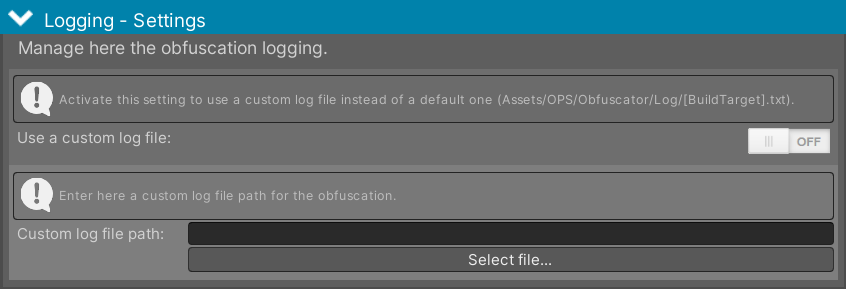 Figure 1 - Manage the Obfuscator logging.
You find the following settings:
- Use a custom log file: Activate this settings to define a custom log file location.
- Custom log file path: The custom log file path.
Attribute - Settings
The Obfuscator offers a range of attributes to fine-tune the obfuscation process at the source code level. This section allows you to manage and customize these additional attributes.
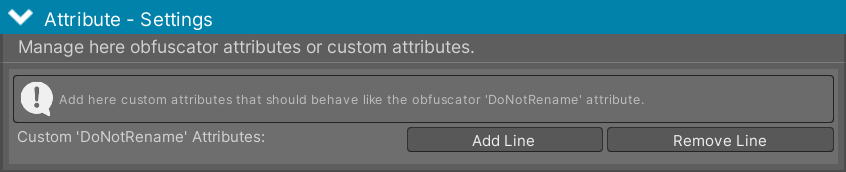 Figure 2 - Manage and customize Obfuscator attributes.
You find the following settings:
- Custom 'DoNotRename' Attributes: The DoNotRename attribute skips a class or member from obfuscation. Sometimes it is more convenient to use custom attributes that have the same behavior. Add the names here.
Renaming - Settings
Here you can customize the characters used by the Obfuscator to obfuscate your source code. You can also enable the saving and loading of the Obfuscator mapping file. This file records the original names and their corresponding obfuscated counterparts for classes, methods, fields, etc.
Benefits of using the mapping file:
- Consistent Obfuscation: Ensures that the same elements are always obfuscated with the same names, maintaining consistency across different builds.
- Error Debugging: Helps decipher error stack traces by providing the original names of obfuscated elements, making it easier to identify and resolve issues.
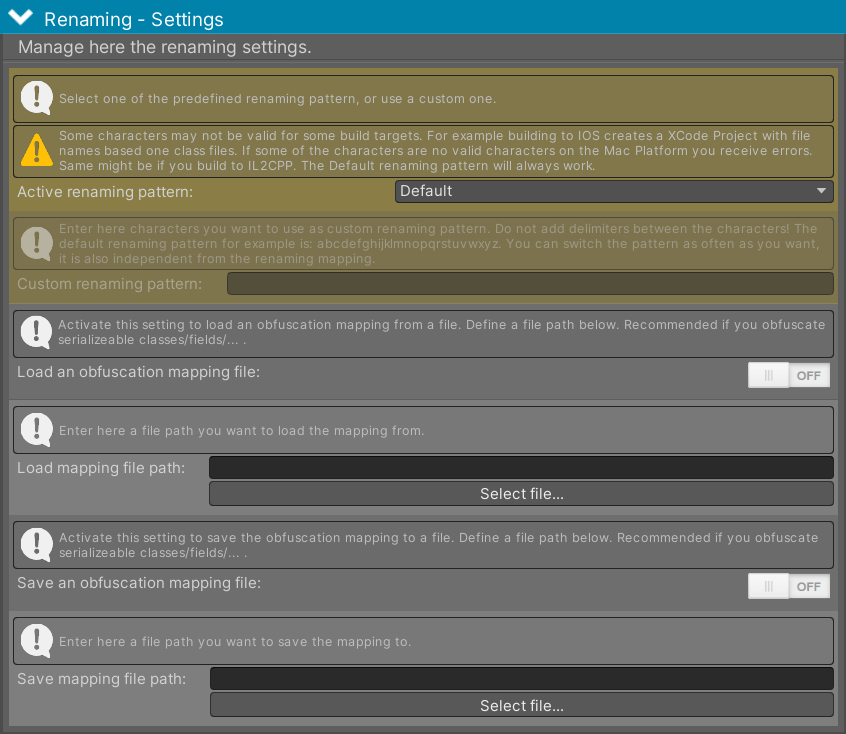 Figure 3 - Manage the Obfuscator renaming settings.
You find the following settings:
- Active renaming pattern: Use a predefined character set for obfuscation or define your own. Depending on the build target, not all characters are supported. But the default pattern will always work.
- Custom renaming pattern: If you choose to use a custom character set, add here the characters you would like to use, without any separation.
- Load an obfuscation mapping file: Activate this setting to load a Obfuscator mapping file.
- Load mapping file path: Enter here the load file path to the Obfuscator mapping file.
- Save an obfuscation mapping file: Activate this setting to save the Obfuscator mapping file.
- Save mapping file path: Enter here the save file path to the Obfuscator mapping file.