Description

An Obfuscator is a tool that makes the built code of a game, app, or program harder to read while keeping the program working the same way. It can rename classes, methods, fields, and other code parts to short or unclear names. It can also change some code patterns so they are harder to follow.
The main goal is to protect your work. Obfuscation does not make a game impossible to inspect, but it makes copying, studying, or changing the built code much harder.
Obfuscator
GuardingPearSoftware's Obfuscator is built specifically for Unity. It takes Unity's unique characteristics into account – such as MonoBehaviours, ScriptableObjects, Serialization, and Reflection – giving you a powerful yet easy-to-use, out-of-the-box tool.
Integration
Game developers already have many things to manage, so the Obfuscator is designed to fit into the normal Unity build workflow. After it is enabled, it can protect your code automatically during each build without adding many extra steps.
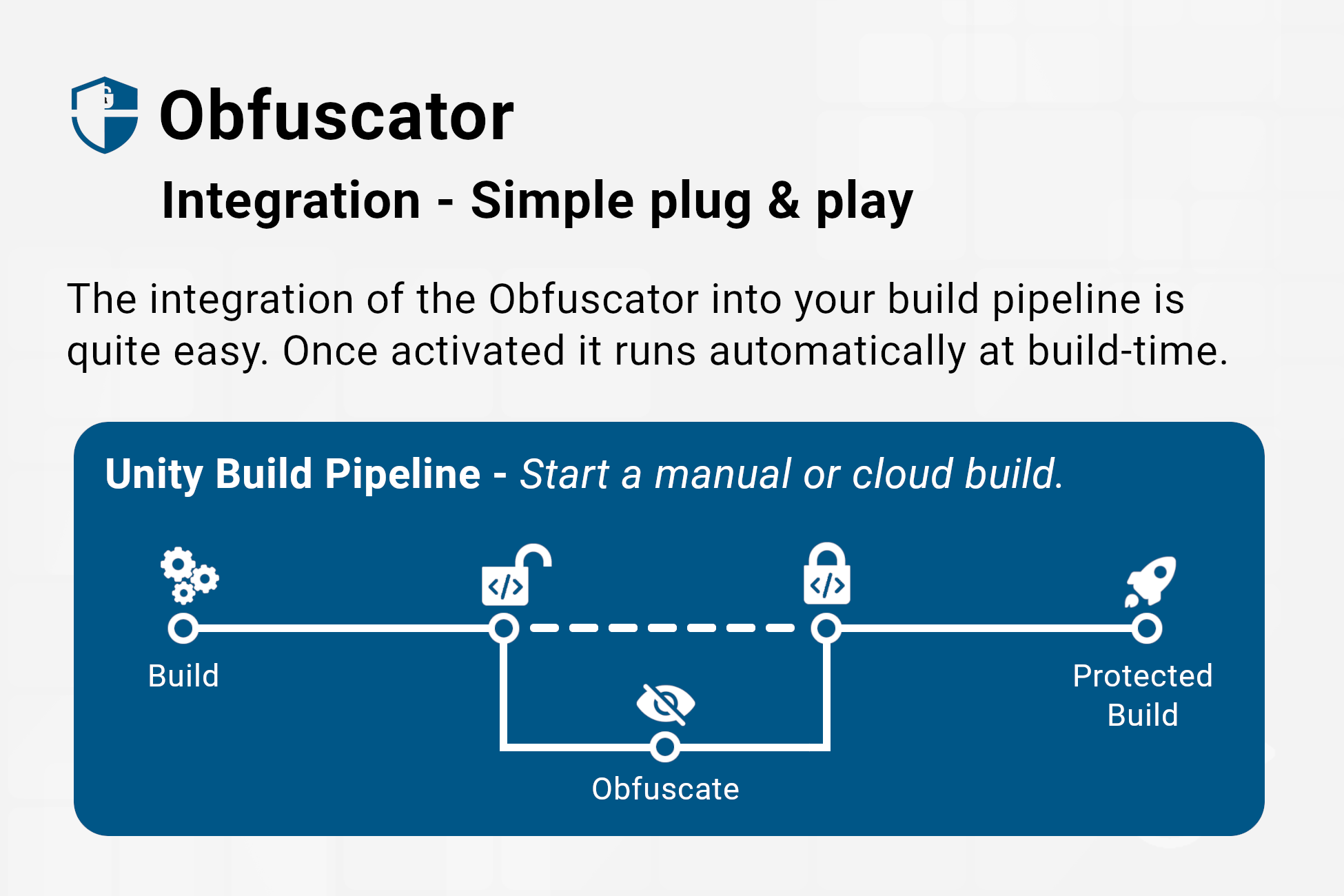 Figure 1 - The integration is designed to be plug & play.
Demo Builds
If you want to see a small example game before and after obfuscation, you can download the demo builds from the Google Drive demo folder.
The folder contains builds for both Unity scripting backends:
- Mono: one normal build and one obfuscated build.
- IL2CPP: one normal build and one obfuscated build.
This lets you compare how the same game looks before and after protection (Default Settings) is applied.
Code - Example
The most important and well-known feature of an Obfuscator is the so-called 'Lexical Obfuscation'. This technique targets the most accessible elements of your code: the identifiers. For instance, a class name like 'Sale' could be transformed into 'a', a method name such as 'CalculateDiscount' might become 'p', and a variable name like 'customerData' could turn into 'x'. This process strips away the semantic meaning that makes the code understandable, making it significantly harder to interpret.
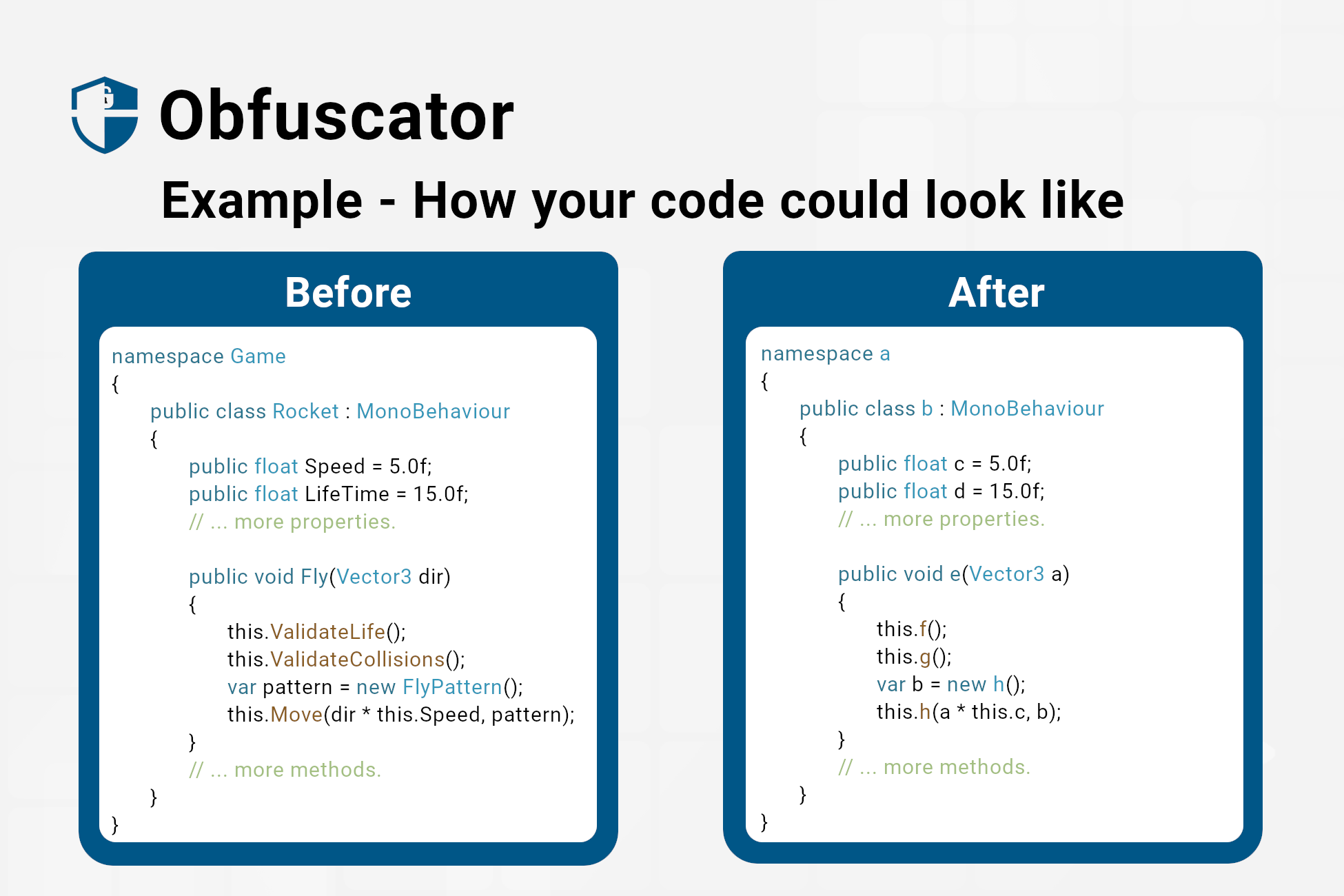 Figure 2 - Example: Your code before and after obfuscation.
String - Example
String obfuscation transforms readable strings in your code into a format that is difficult to understand or recognize. This protects sensitive information from being easily extracted or deciphered by unauthorized users.
Warning
Never store passwords or API keys inside your shipped application.
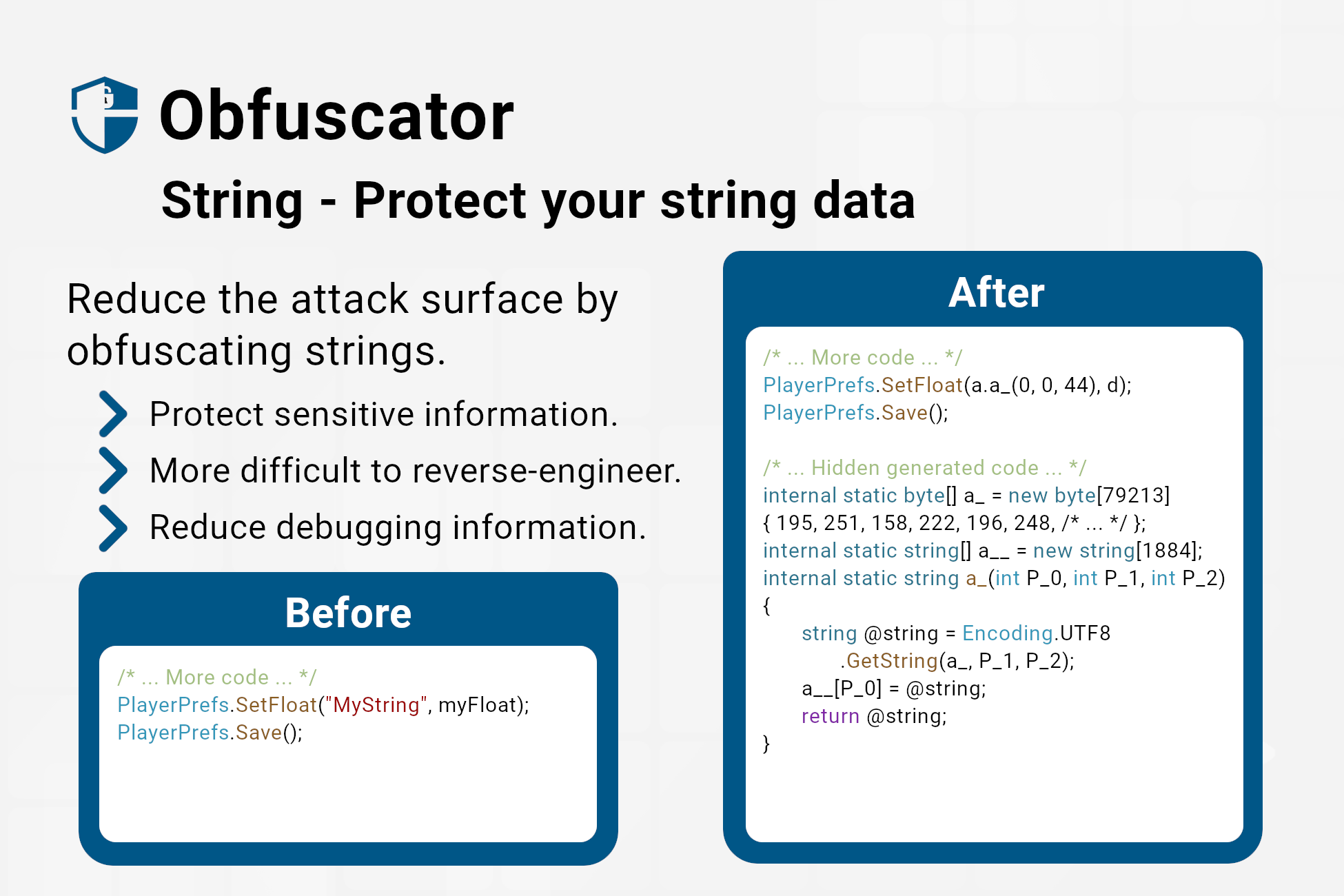 Figure 3 - Example: Your strings before and after obfuscation.
Control Flow - Example
This technique deliberately obscures the natural flow of your code – the loops, conditional statements, and function calls. Imagine a labyrinthine structure where the path twists and turns, making it difficult to follow the program's logic.
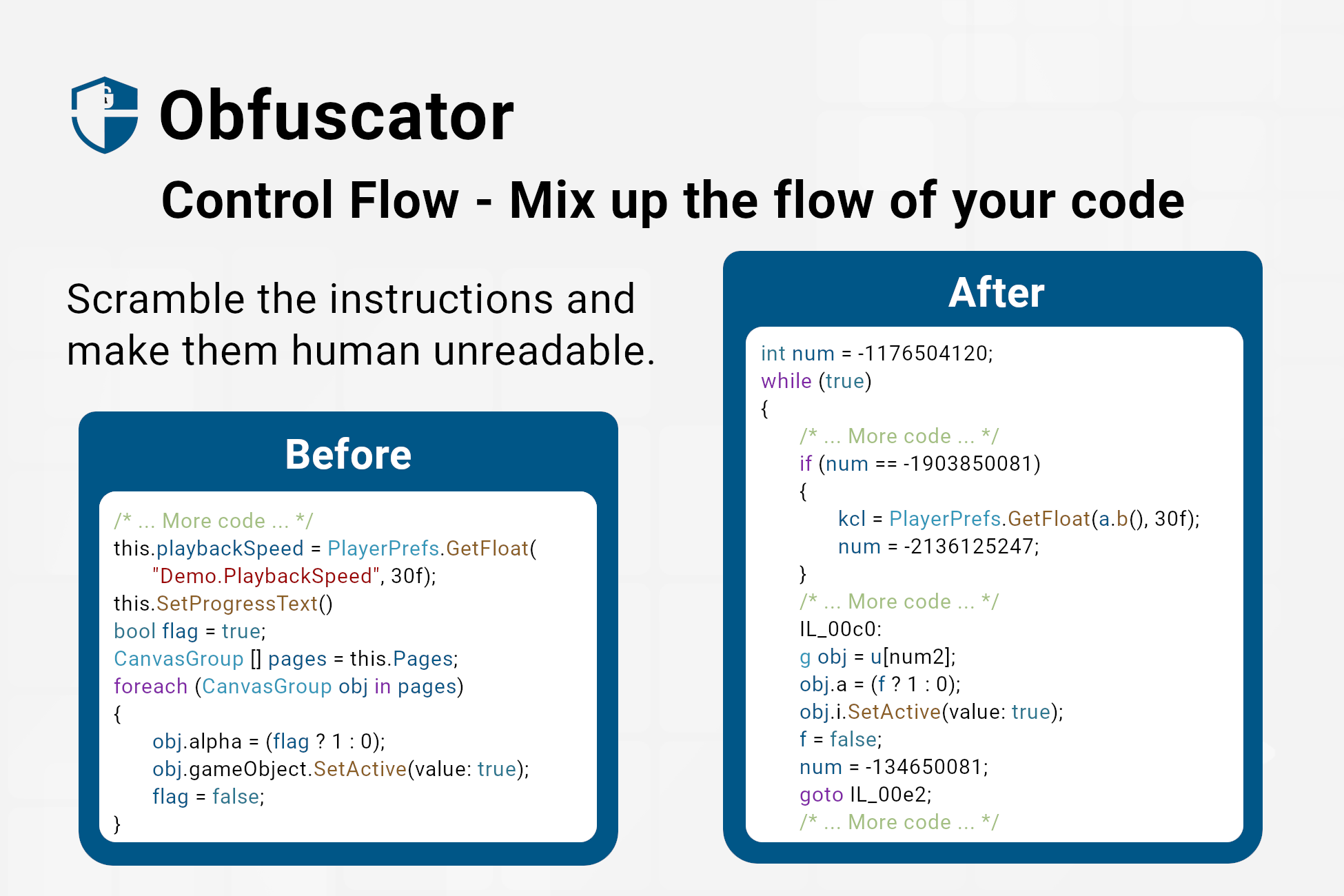 Figure 4 - Example: Your method flow before and after obfuscation.
Note
Only supported on Mono builds. IL2CPP cannot interpret this protection scheme – which is also by design.
Security - Example
Additional security measures are available to further enhance your application's protection. These include generating random code, suppressing ILDasm (the disassembler in the IDE), and implementing micro checks. Together, these techniques make your code much harder for attackers to read and analyze, increasing overall security.
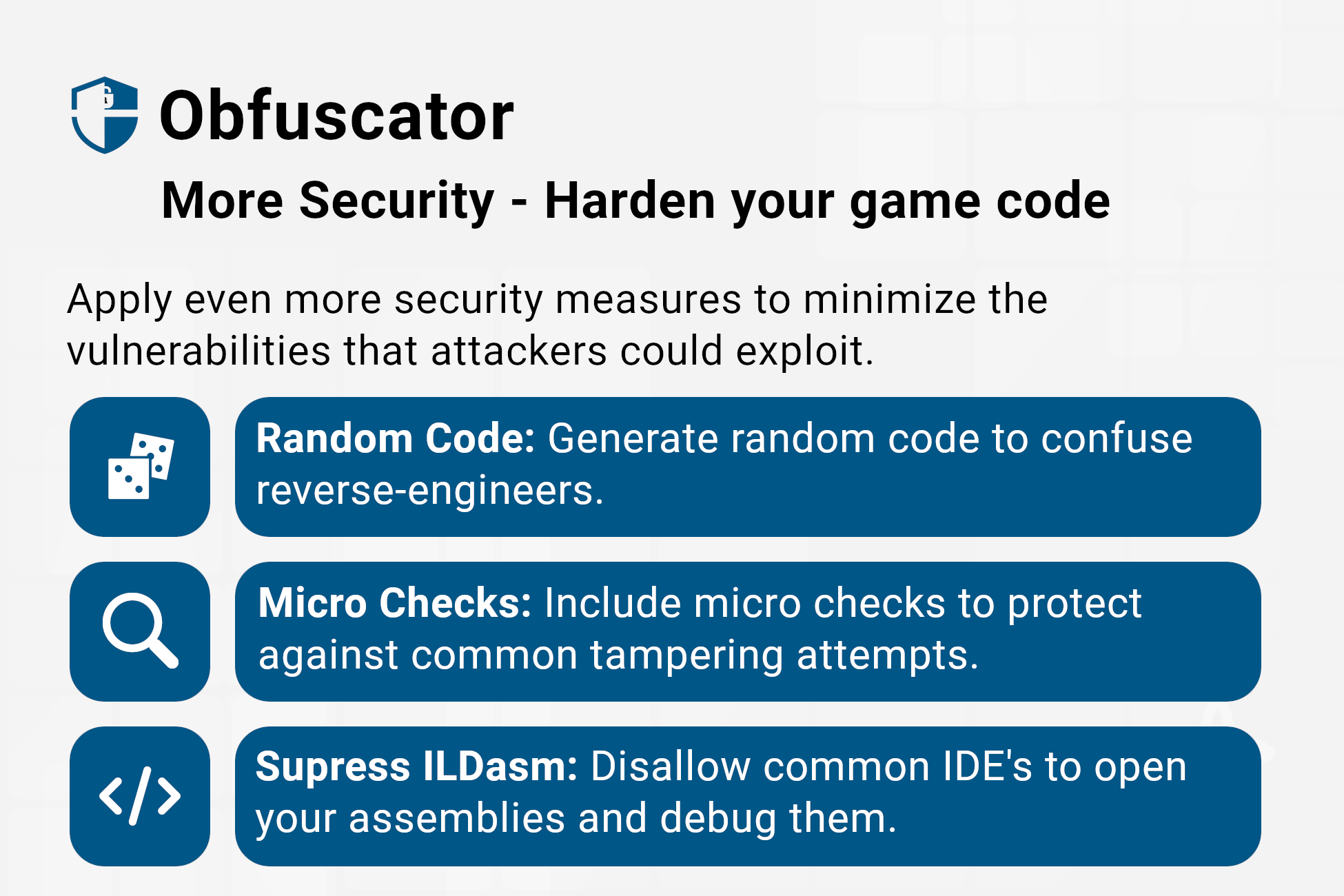 Figure 5 - Enhanced security measures are available to improve your application's protection.
Settings
Every game is unique and deserves a tailored approach to protection. The Obfuscator offers a wide range of customizable settings that let you fine-tune the protection strategy to best fit your game.
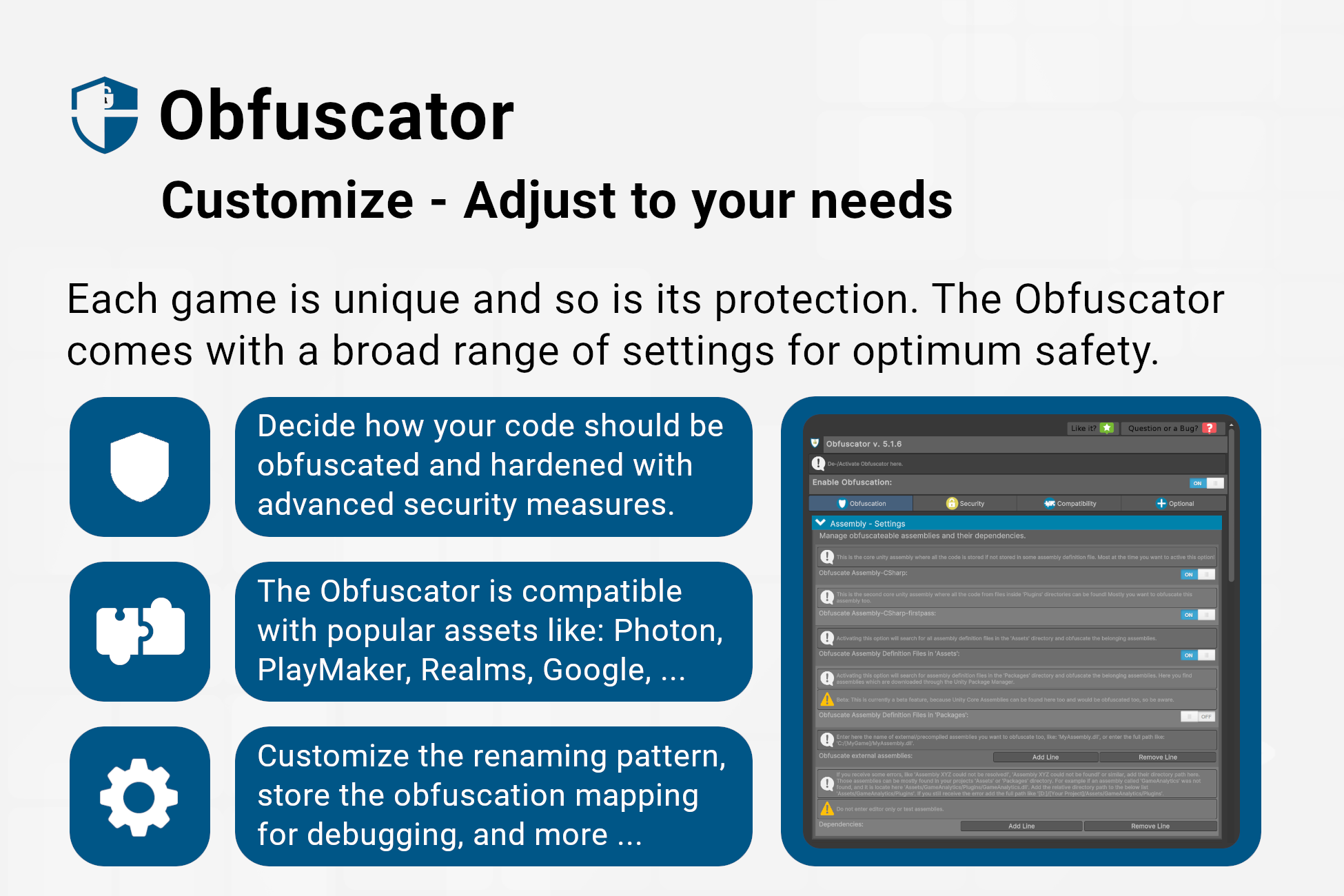 Figure 6 - Customize the obfuscation, security, compatibility and integration.