iOS - Jailbreak - Detector (Pro)
A jailbreak lets someone leave the normal iOS limits. They can inject code, patch your app, read files, or run tools such as Frida. IOSJailbreakDetector looks for common signs of that.
Walkthrough: Jailbroken iOS devices.
Detector
IOSJailbreakDetector does not need a monitor. It calls a native plugin (com.gups.anticheat, symbol GupsAntiCheat_ScanJailbreak). One scan can run up to six checks:
- URL schemes: Asks whether known jailbreak apps can be opened (
cydia,sileo,zbra,filza,undecimus-sileo,activator). When this check is on, AntiCheat adds the entries iOS needs so the check can run. - Suspicious paths: Looks for classic jailbreak files, such as
/Applications/Cydia.app,/Library/MobileSubstrate, and/private/var/lib/apt. It also looks for newer rootless paths used by Dopamine, palera1n, and XinaA15, such as/var/jb. - Sandbox: Tries to create a file outside the app folder. A normal app cannot do that. If it works, the sandbox is not enforced. The file is deleted right away.
- Detect fork(): Listed in the settings, but turned off for now. The other checks still run.
- Injected libraries: Looks at
DYLD_INSERT_LIBRARIESandDYLD_FORCE_FLAT_NAMESPACE. iOS clears both for a normal app. A value here means extra code was injected. - Loaded tweak libraries: Looks at loaded library names for known tweak tools, such as MobileSubstrate, libhooker, Substitute, and FridaGadget.
Each check can be turned on or off in Project Settings. You can add your own paths and library names without rebuilding the plugin.
Observed subject
There is no monitor. The scan runs when you call ManualScan(). If the repeat option is on, it also runs in Start and again on an interval.
Status
When a sign is found, the detector sends an IOSJailbreakDetectionStatus:
public struct IOSJailbreakDetectionStatus : IIOSJailbreakDetectionStatus
{
    // Probability that the detection is a false positive, in the range [0.0, 1.0].
    public float PossibilityOfFalsePositive { get; }

    // The threat rating reported with this detection.
    public uint ThreatRating { get; }

    // The type of jailbreak evidence detected on iOS.
    public EIOSJailbreakType JailbreakType { get; }

    // A short, human-readable string describing what triggered the detection.
    public string Evidence { get; }
}
- Evidence: A short text that says what was found, such as a path, a URL scheme, or a library name.
JailbreakType can be:
public enum EIOSJailbreakType : byte
{
    UNKNOWN = 0,           // Evidence could not be classified.
    URL_SCHEME = 1,        // A jailbreak URL scheme returned true from canOpenURL.
    SUSPICIOUS_PATH = 2,   // A path typical for a jailbreak was found on the device.
    SANDBOX_VIOLATION = 3, // A file could be created outside the app sandbox.
    FORK_SUCCESS = 4,      // fork() returned a valid child PID.
    DYLD_INJECTION = 5,    // DYLD_INSERT_LIBRARIES / DYLD_FORCE_FLAT_NAMESPACE is populated.
    SUSPICIOUS_DYLIB = 6   // A loaded dyld image matches a known tweak framework substring.
}
Each kind is reported once per session. A later check that finds the same kind does not raise the score again.
Threat rating and false positives
- PossibilityOfFalsePositive: default
0.01(range 0 to 1). A normal iPhone does not have these signs. - ThreatRating: default
500(recommended 500).
Configuration
- Is Active (
isActive, bool, default true): Turns the detector on or off. - Possibility Of False Positive (
possibilityOfFalsePositive, float, default 0.01, range 0 to 1). - Threat Rating (
threatRating, uint, default 500). - On Cheating Detection Event (
OnCheatingDetectionEvent): Functions to call when a sign is found. - Check Only On Game Start (
CheckOnlyOnGameStart, bool, default false): On means scan once. Off means scan again on the interval. Off is recommended. Extra code can be loaded later. - Recheck Interval For Possible Cheating (
RecheckIntervalForPossibleCheating, float, default 30, range 0.1 to 600): Seconds between scans.
Which checks run is set on the iOS tab. In the Editor and in development builds, the scan runs only when IOS_Enable_Development is on.
Supported platforms
iOS player builds. In the Editor and on other platforms the detector turns itself off. You can force it on in the Editor with IOS_Enable_Development, but a real result still needs a device build.
Requirements
The plugin com.gups.anticheat must be in Assets/GUPS/AntiCheat/Plugins/iOS/. It ships with the package.
Important
The plugin is a dynamic framework. Select com.gups.anticheat in the Project window. In the iOS plugin import settings, keep Add to Embedded Binaries enabled. If it is linked but not embedded, the app crashes at launch. You do not need to add extra Apple frameworks.
When the URL-scheme check is on, AntiCheat adds the entries iOS needs (cydia, sileo, zbra, filza, undecimus-sileo, activator). Without those entries the URL-scheme check finds nothing.
False alarms
A normal device almost never matches these checks:
- The jailbreak URL schemes are not registered.
- The jailbreak paths are not on the device.
- The sandbox blocks writes outside the app folder.
- iOS clears
DYLD_INSERT_LIBRARIESbefore the app starts. - Tweak libraries are not loaded.
PossibilityOfFalsePositive defaults to 0.01. Detect fork() is turned off for now, so it does not affect the result.
How to use
Add IOSJailbreakDetector as a child of the AntiCheat-Monitor. The monitor prefab already includes it. Set the iOS tab. Then choose how you want to react.
The plugin must be present, with Add to Embedded Binaries enabled. Without the plugin, the detector logs a warning. It does not crash.
Add the component
Add IOSJailbreakDetector from GUPS.AntiCheat.Detector.IOS. A child of the monitor is the best place.
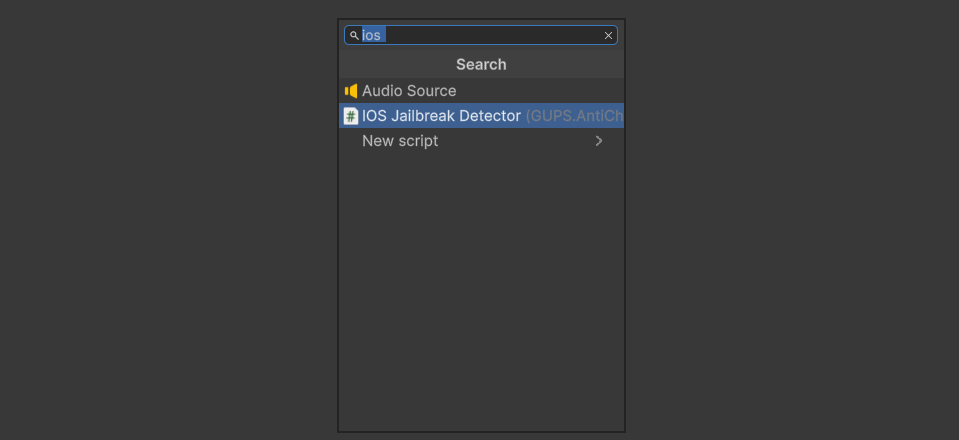
Add the IOSJailbreakDetector component.
Prefab
Assets/GUPS/AntiCheat/Resources/Prefabs/Detectors/iOS Jailbreak Detector.prefab
Settings
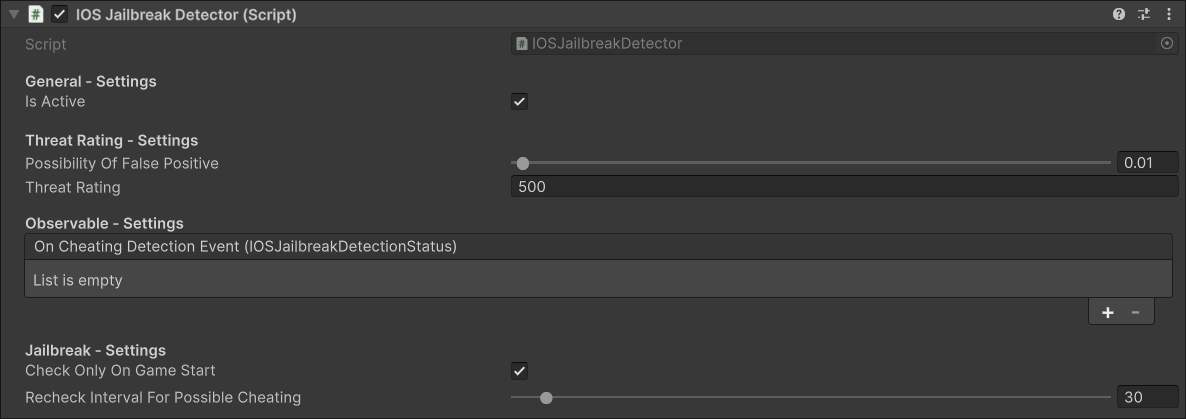
The IOSJailbreakDetector settings.
- General Settings: Turn the detector on or off.
- Threat Rating Settings: How serious one find is, and the false-alarm chance.
- Observable Settings: Functions to call when cheating is found.
- Jailbreak Settings: Scan once at start, or again on an interval.
Runtime
On start, and again on the interval, the detector runs each check that is turned on. It reports each new JailbreakType. You can also call ManualScan().
iOS settings
Open Edit > Project Settings > GuardingPearSoftware > AntiCheat and switch to the iOS tab.

iOS jailbreak settings.
- Enable in Development (
IOS_Enable_Development): On means the check also runs in the Editor and in development builds. Off by default. - Detect URL Schemes (
IOS_DetectUrlSchemes): Look for known jailbreak apps. On by default. - Detect Suspicious Paths (
IOS_DetectSuspiciousPaths): Look for jailbreak files, plus any extra paths you add. On by default. - Detect Sandbox Violation (
IOS_DetectSandboxViolation): Try a write outside the app folder. On by default. - Detect fork() (
IOS_DetectFork): Listed as Detect fork() (coming soon). It is turned off for now, whatever the setting says. The other checks still run. - Detect DYLD Injection (
IOS_DetectDyldInjection): Look for injected libraries. On by default. - Detect Suspicious Dylibs (
IOS_DetectSuspiciousDylibs): Look for known tweak libraries. On by default. - Additional Paths (
IOS_AdditionalSuspiciousPaths): Extra paths to check, on top of the built-in list. - Additional Dylibs (
IOS_AdditionalSuspiciousDylibs): Extra library name pieces to look for.
Read the detection in code
You can also listen yourself. Cast the status to IOSJailbreakDetectionStatus to read the iOS fields.
using System;
using GUPS.AntiCheat;
using GUPS.AntiCheat.Core.Detector;
using GUPS.AntiCheat.Detector.IOS;
using UnityEngine;

public class IOSJailbreakDetectionLogger : MonoBehaviour, IObserver<IDetectorStatus>
{
    private void Start()
    {
        var detector = AntiCheatMonitor.Instance.GetDetector<IOSJailbreakDetector>();
        detector.Subscribe(this);
    }

    public void OnNext(IDetectorStatus status)
    {
        if (status is IOSJailbreakDetectionStatus iosStatus)
        {
            Debug.LogWarning($"Jailbreak detected: {iosStatus.JailbreakType} " +
                             $"(threat={iosStatus.ThreatRating}, evidence={iosStatus.Evidence}).");
        }
    }

    public void OnError(Exception error) { }
    public void OnCompleted() { }
}
React when a cheat is found
The detector tells the AntiCheat-Monitor. The monitor adds the report to the threat score.
Punisher. Add a punisher prefab as a child of the monitor. It runs when the score reaches its limit.
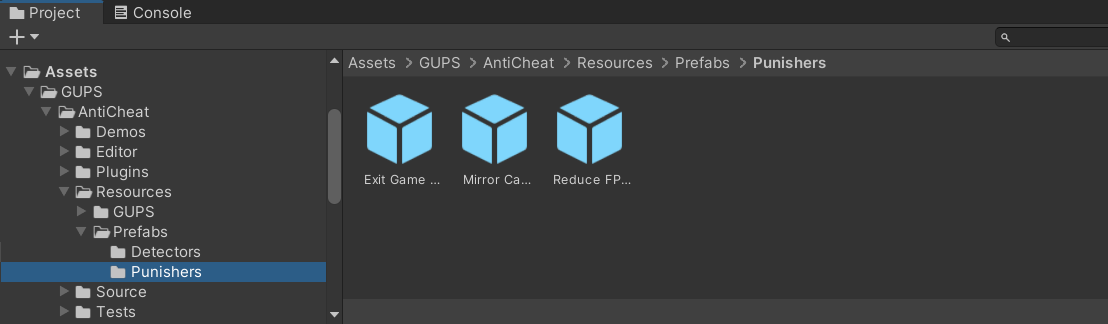
Built-in punisher prefabs.
Inspector. Add a function to On Cheating Detection Event. It runs when this detector finds a cheat.
Code.
var detector = AntiCheatMonitor.Instance
      .GetDetector<IOSJailbreakDetector>();

detector.Subscribe(myObserver);
PossibleCheatingDetected stays true after the first find.