Desktop - Mod Loader - Detector (Pro)
Loaders such as BepInEx, MelonLoader, UnityDoorstop, HarmonyLib, and MonoMod can load extra code into a Windows, macOS, or Linux build. They usually attach before your scripts run. AntiCheat cannot block that. It can notice the loader so you can react.
Walkthrough: Protecting a desktop build.
Detector
ModLoaderDetector does not need a monitor. It runs three checks:
- Loaded managed code: It looks at the names of loaded assemblies. It matches prefixes you set, such as
BepInEx,MelonLoader,HarmonyLib,Mono.Cecil,MonoMod, and0Harmony. - Loaded native modules: On Windows it looks for injector files, including a
winhttp.dllorversion.dllloaded from the game folder instead of the system folder. On macOS and Linux this check does not report yet. - Files next to the game: It looks for known folders and files, such as
BepInEx/,MelonLoader/,doorstop_config.ini, andMods/.
Observed subject
There is no monitor. The scan runs when you call ManualScan(). If the repeat option is on, it also runs in Start and again on an interval.
Status
When a loader is found, the detector sends a DesktopCheatingDetectionStatus:
public struct DesktopCheatingDetectionStatus : IDesktopCheatingDetectionStatus
{
    // Probability that the detection is a false positive, in the range [0.0, 1.0].
    public float PossibilityOfFalsePositive { get; }

    // The threat rating reported with this detection.
    public uint ThreatRating { get; }

    // The type of cheating detected on the desktop platform.
    public EDesktopCheatingType DesktopCheatingType { get; }

    // A short, human-readable string describing what triggered the detection.
    public string Evidence { get; }
}
- Evidence: A short text that says what was found, such as an assembly name, a file, or a native module.
DesktopCheatingType can be:
public enum EDesktopCheatingType : byte
{
    MOD_LOADER_ASSEMBLY = 10,  // A managed mod-loader assembly is loaded into the AppDomain.
    MOD_LOADER_FILE = 11,      // A mod-loader file/folder was found next to the executable.
    MOD_LOADER_INJECTOR = 12   // A mod-loader injector native module is loaded (Windows only).
}
Threat rating and false positives
- PossibilityOfFalsePositive: default
0.02(range 0 to 1). The names are specific, so false alarms are rare. - ThreatRating: default
500(recommended 500). A loader can change the whole game.
Configuration
- Is Active (
isActive, bool, default true): Turns the detector on or off. - Possibility Of False Positive (
possibilityOfFalsePositive, float, default 0.02, range 0 to 1). - Threat Rating (
threatRating, uint, default 500). - On Cheating Detection Event (
OnCheatingDetectionEvent): Functions to call when a loader is found. - Check Only On Game Start (
CheckOnlyOnGameStart, bool, default false): On means check once. Off means check again on the interval. Off is recommended. A loader can be injected later. - Recheck Interval For Possible Cheating (
RecheckIntervalForPossibleCheating, float, default 30, range 1 to 600): Seconds between checks.
The name lists are in Project Settings. See Desktop settings below.
Supported platforms
Windows, macOS, and Linux standalone players. Assembly names and files next to the game are checked on all three. Native modules are checked on Windows only. On macOS and Linux that check finds nothing yet.
Requirements
No extra plugin. In the Editor and in development builds, the detector runs only when Desktop_Enable_Development is on.
How to use
Add ModLoaderDetector as a child of the AntiCheat-Monitor. The monitor prefab already includes it. Set the Desktop tab. Then choose how you want to react.
Add the component
Add ModLoaderDetector from GUPS.AntiCheat.Detector.Desktop. A child of the monitor is the best place. No extra monitor is needed.

Add the ModLoaderDetector component.
Settings

The ModLoaderDetector settings.
- General Settings: Turn the detector on or off.
- Threat Rating Settings: How serious one find is.
- Observable Settings: Functions to call when cheating is found.
- Mod Loader Settings: Check once at start, or again on an interval.
Runtime
On start, and again on the interval, the detector runs its checks. You can also call ManualScan(), for example after a level load.
Desktop settings
Open Edit > Project Settings > GuardingPearSoftware > AntiCheat and switch to the Desktop tab.

Mod loader settings.
- Enable in Development (
Desktop_Enable_Development): On means the check also runs in the Editor and in development builds. Off by default. - Detect Mod Loader (
Desktop_DetectModLoader): Master switch. On by default. - Mod Loader Assembly Prefixes (
Desktop_ModLoader_AssemblyPrefixes): Name starts that count as a loader. The match ignores letter case. Examples:BepInEx,MelonLoader,HarmonyLib,0Harmony,MonoMod,Mono.Cecil. - Mod Loader File Names (
Desktop_ModLoader_FileNames): File or folder names next to the game. Examples:BepInEx,MelonLoader,doorstop_config.ini,winhttp.dll,version.dll,Mods.
If a list is empty, the detector uses a built-in list of well-known loaders.
Read the detection in code
You can also listen yourself. Cast the status to DesktopCheatingDetectionStatus to read the desktop fields.
using System;
using GUPS.AntiCheat;
using GUPS.AntiCheat.Core.Detector;
using GUPS.AntiCheat.Detector.Desktop;
using UnityEngine;

public class ModLoaderDetectionLogger : MonoBehaviour, IObserver<IDetectorStatus>
{
    private void Start()
    {
        var detector = AntiCheatMonitor.Instance.GetDetector<ModLoaderDetector>();
        detector.Subscribe(this);
    }

    public void OnNext(IDetectorStatus status)
    {
        if (status is DesktopCheatingDetectionStatus desktopStatus)
        {
            Debug.LogWarning($"Mod loader detected: {desktopStatus.DesktopCheatingType} " +
                             $"(threat={desktopStatus.ThreatRating}, evidence={desktopStatus.Evidence}).");
        }
    }

    public void OnError(Exception error) { }
    public void OnCompleted() { }
}
React when a cheat is found
The detector tells the AntiCheat-Monitor. The monitor adds the report to the threat score.
Punisher. Add a punisher prefab as a child of the monitor. It runs when the score reaches its limit.
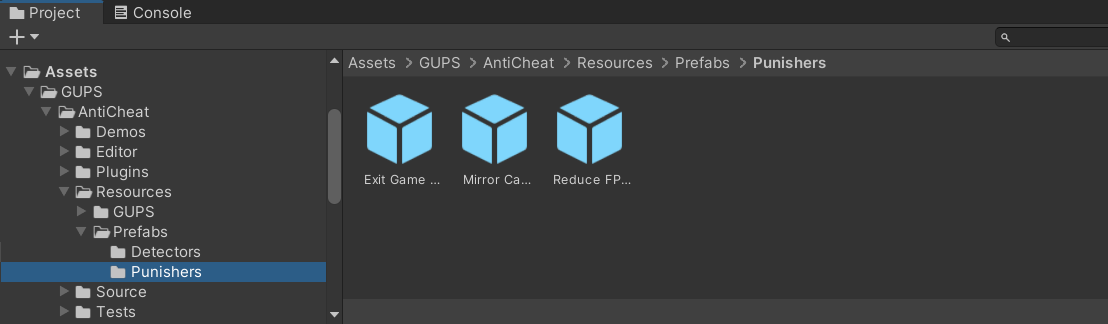
Built-in punisher prefabs.
Inspector. Add a function to On Cheating Detection Event. It runs when this detector finds a cheat.
Code.
var detector = AntiCheatMonitor.Instance
      .GetDetector<ModLoaderDetector>();

detector.Subscribe(myObserver);
PossibleCheatingDetected stays true after the first find.