Description

GuardingPearSoftware's AntiCheat is developed for you to keep your game safe. In the world of video games, cheating is unfortunately still widespread, with individuals using various methods to gain an advantage over other players. These include the use of mods, hacks, or exploits, as well as unintended gameplay that gives an unfair advantage - whether in single-player or multiplayer games.
As a client-side solution, AntiCheat protects your game memory, storage, and time, and detects and prevents tampering attempts. It ensures the integrity of the gaming experience for you and your honest players.
Protect Your Memory
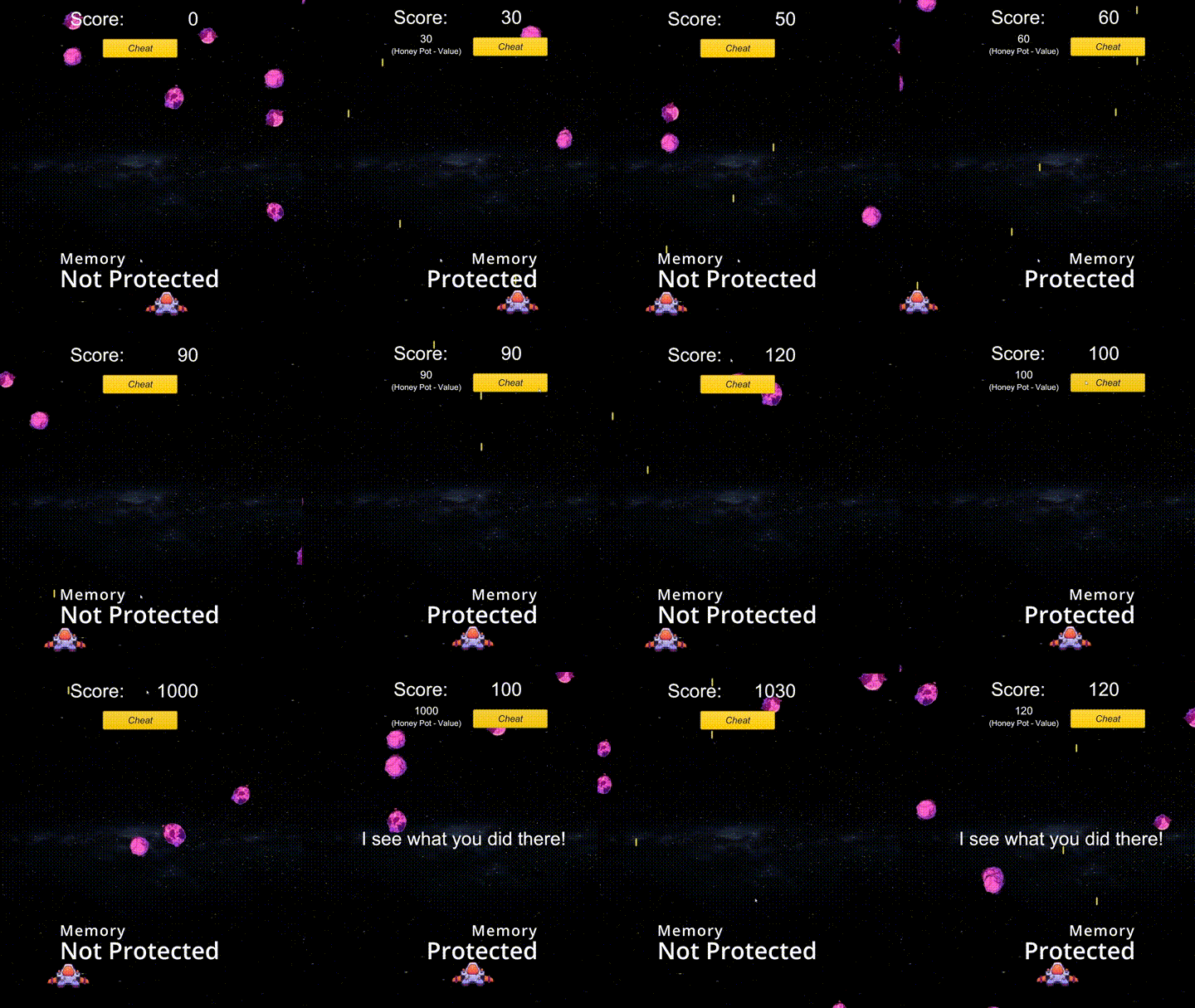
Important data such as scores, positions, or health is usually stored in the runtime memory, which can be vulnerable to manipulation by cheat tools or data sniffers. AntiCheat offers protected data types to prevent such memory manipulations and to recognize and react to them.
Comparison: Before and after using protected data types. Cheating gets detected and prevented!
To protect against memory manipulations such as property or variable tampering, simply replace the regular types with the protected ones. No additional code adaptation is required, allowing you a fast and simple usage.
Your code before:
// A simple unprotected score manager class.
public class ScoreManager : MonoBehaviour
{
public int Score = 0;
public int ScoreToWin = 100;
public void AddScore(int value)
{
this.Score += value;
this.CheckIfWon();
}
// More score code ...
}
// A simple unprotected player class.
public class Player : MonoBehaviour
{
public float Speed = 5f;
public Vector3 Position = Vector3.zero;
public void Move(Vector3 direction)
{
this.Position = this.Position + direction;
this.transform.Position = this.Position;
}
// More player code...
}
Your code using AntiCheat:
// A simple protected score manager class.
public class ScoreManager : MonoBehaviour
{
public ProtectedInt32 Score = 0;
public ProtectedInt32 ScoreToWin = 100;
public void AddScore(int value)
{
this.Score += value;
this.CheckIfWon();
}
// More score code ...
}
// A simple protected player class.
public class Player : MonoBehaviour
{
public ProtectedFloat Speed = 5f;
public ProtectedVector3 Position = Vector3.zero;
public void Move(Vector3 direction)
{
this.Position = this.Position + direction;
this.transform.Position = this.Position;
}
// More player code...
}
Protect Your PlayerPrefs
Unity's PlayerPrefs offer a simple way to save user preferences and data, but they don't provide any security or encryption, making them susceptible to unwanted modifications. AntiCheat's protected PlayerPrefs are designed to address this security issue.
Similar to the protected data types, the protected PlayerPrefs are easy to implement and offer a plug-and-play approach. AntiCheat also lets you choose between storing data in the default location (the local registry) or using a custom file-based solution.
Your code before:
// A simple but unprotected settings class to store data between player sessions.
public class Settings : MonoBehaviour
{
public int Resolution_Width;
public int Resolution_Height;
public int LastScore;
public void Awake()
{
this.Resolution_Width = PlayerPrefs.GetInt("Width");
this.Resolution_Height = PlayerPrefs.GetInt("Height");
this.LastScore = PlayerPrefs.GetInt("Score");
}
// More settings code...
}
Your code using AntiCheat:
// A simple and protected settings class to store data between player sessions.
public class Settings : MonoBehaviour
{
public int Resolution_Width;
public int Resolution_Height;
public int LastScore;
public void Awake()
{
this.Resolution_Width = ProtectedPlayerPrefs.GetInt("Width");
this.Resolution_Height = ProtectedPlayerPrefs.GetInt("Height");
this.LastScore = ProtectedPlayerPrefs.GetInt("Score");
}
// More settings code...
}
// Alternative: Use inspector based protected PlayerPrefs!
public class Settings : MonoBehaviour
{
// Assign the "Width" as key in the unity inspector.
public ProtectedIntPref Resolution_Width;
// Assign the "Height" as key in the unity inspector.
public ProtectedIntPref Resolution_Height;
// Assign the "Score" as key in the unity inspector.
public ProtectedIntPref LastScore;
// More settings code...
}
Protect Your Time
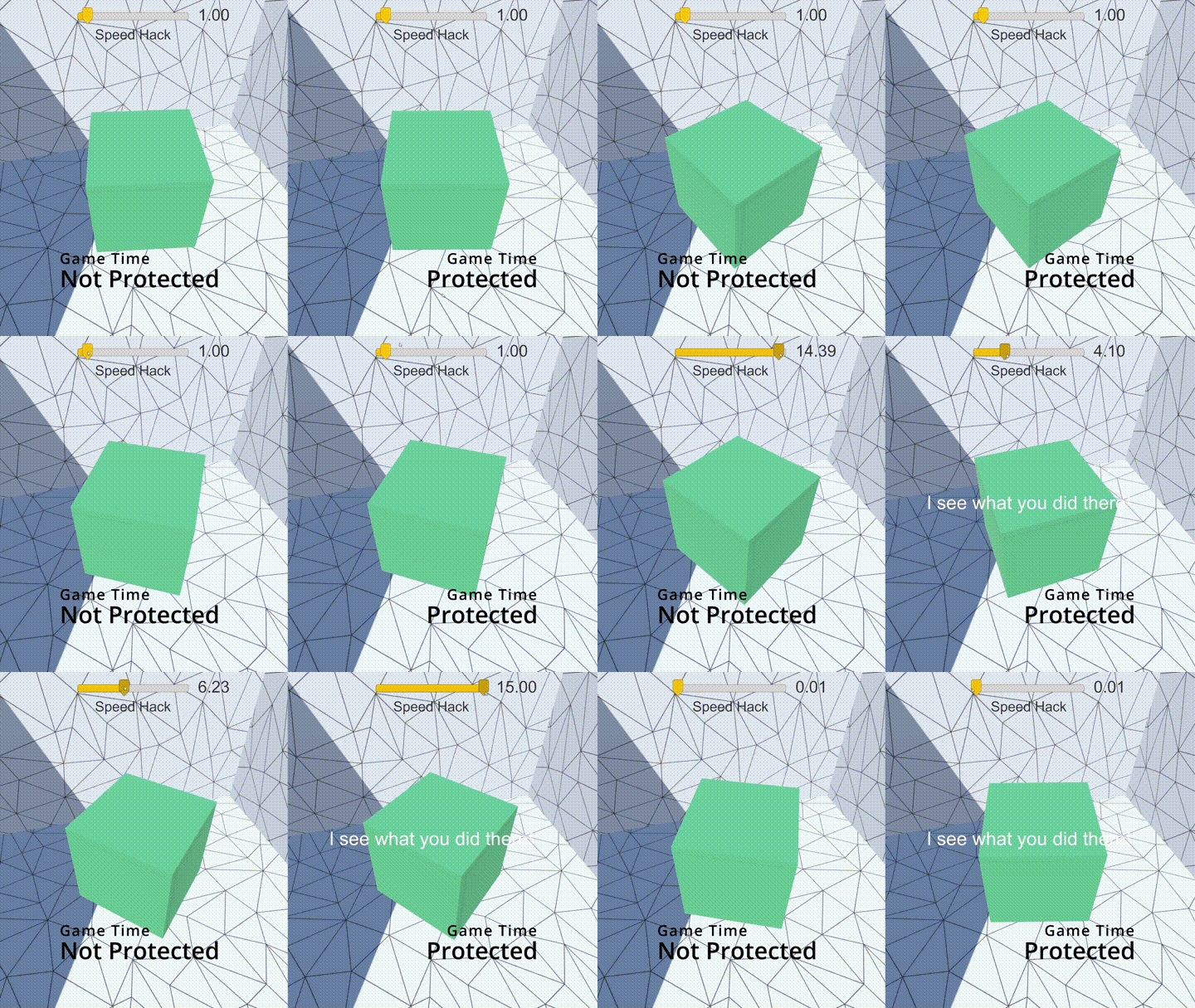
Unity relies on UnityEngine.Time.deltaTime for frame-based operations, but this method is vulnerable to tampering by cheat or hacking tools, leading to unauthorized changes in game speed. Additionally, many applications require the current date and time, but relying on the user's device clock can lead to trust issues, as users might manipulate it to gain advantages or extend trial periods, for example.
AntiCheat addresses both of these problems by providing a solution that safeguards against time-based manipulations, ensuring a more secure and reliable experience.
Comparison: Before and after using protected game time.
AntiCheat actively monitors and detects unexpected time deviations and helps you tackle them by providing a protected time. This includes reliable versions of deltaTime, fixedDeltaTime, and all other Unity Time class properties, as well as a trusted UTC DateTime from the Internet, which ensures greater integrity and security in your application.
What your code would look like using AntiCheat:
// A simple protected player class using protected
// variables and protected deltaTime!
public class Player : MonoBehaviour
{
public ProtectedFloat Speed = 5f;
public ProtectedVector3 Position = Vector3.zero;
public void Move(Vector3 direction)
{
this.Position = this.Position + direction;
this.transform.Position = this.Position;
}
public void Update()
{
// Get player input and calculate the moving direction.
Vector3 movingDirection = ...;
// Scale with speed and deltaTime.
movingDirection *= this.Speed * ProtectedTime.deltaTime;
// Move the player.
this.Move(movingDirection);
}
// More player code...
}
Protect Your Mobile Game
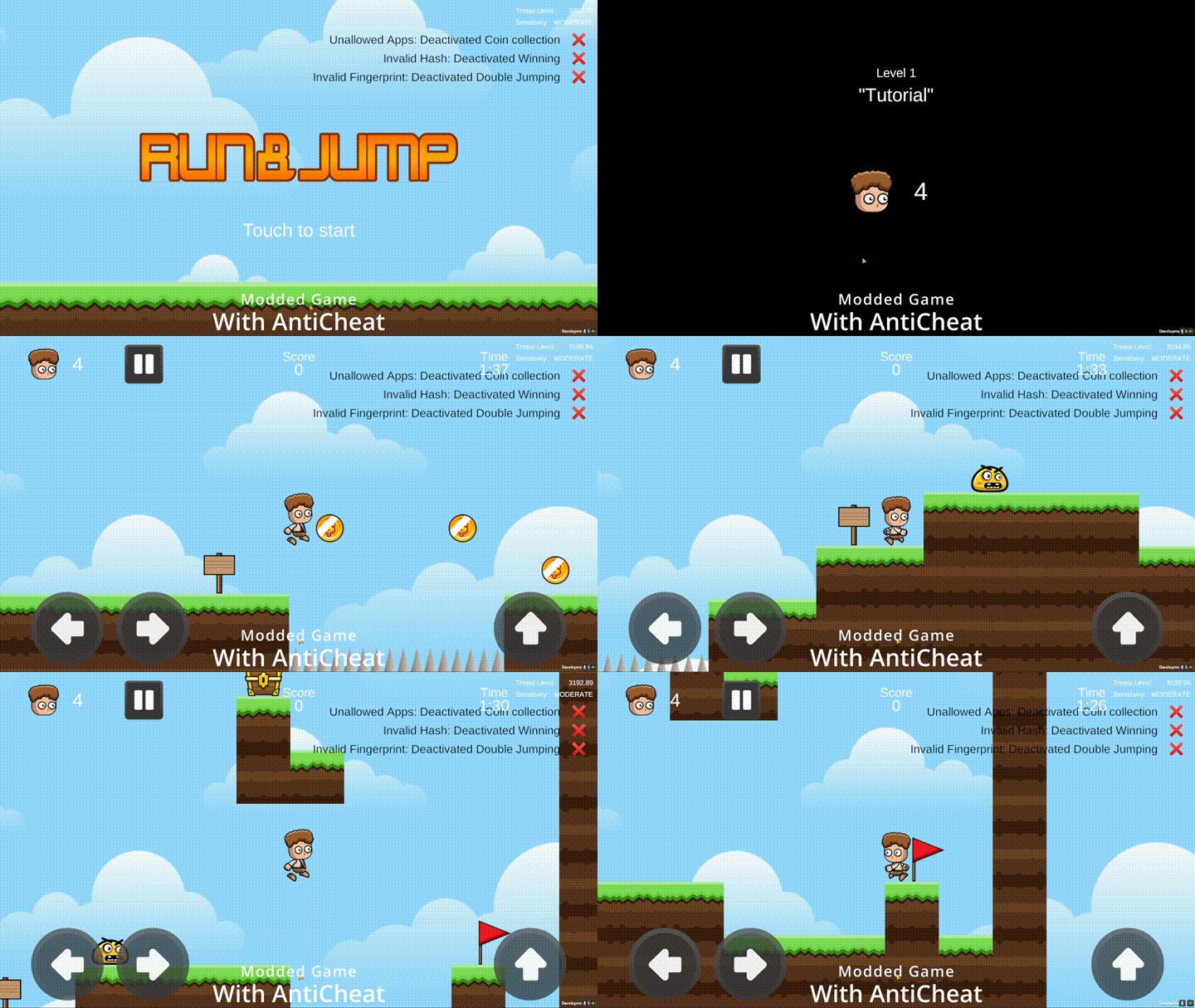
The following clip is probably very familiar to you as a mobile game developer: a modded game that gives a player an advantage by jumping higher than they should, or by collecting coins that score far more points than they should.
Comparison: Before protecting your Android game, cheaters could simply mod your whole game.
This is a major problem for developers. More and more mobile apps are becoming targets for unauthorized redistribution, whether by disabling Digital Rights Management (DRM), modifying the app, bypassing payment methods, or rebranding it under a different name. That's why AntiCheat introduces features that secure your mobile apps (Android and iOS) and detect if they have been compromised or altered in any way.
Comparison: After using AntiCheat, you can detect and react to a modified game.
AntiCheat provides device and app monitoring with an integrity detector to verify that your mobile apps on Android and iOS are genuine. While iOS apps are generally secure due to Apple's restrictions on sideloading, Android is more vulnerable to unauthorized modifications and redistribution. To counter this, AntiCheat offers a range of additional advanced validation methods to secure Android apps.
Android:
Validate Installation Source: Validate the installation source to check whether your app was installed from an official app store and not by third parties.
Validate Hash: Validate the entire app hash to determine whether the app has been modified in any way - be it a different package name, changed code, or other altered resources.
Validate Certificate Fingerprint: Validate your app's certificate fingerprint to make sure the app is shipped by you and no one else.
Validate Libraries: A common cheat method in Unity Android apps is to insert custom libraries into your app instead of modifying the existing code. Validate against whitelisted and blacklisted libraries.
Validate Installed Apps: Not only can a user modify or manipulate your game or app, but they can also try to gain an advantage by making changes to their device. Validate the installed apps!
iOS + Android:
- Validate Package Name: Validate the package name of the shipped app and make sure it is your app and not a rebranding.
Protect Your Desktop Game
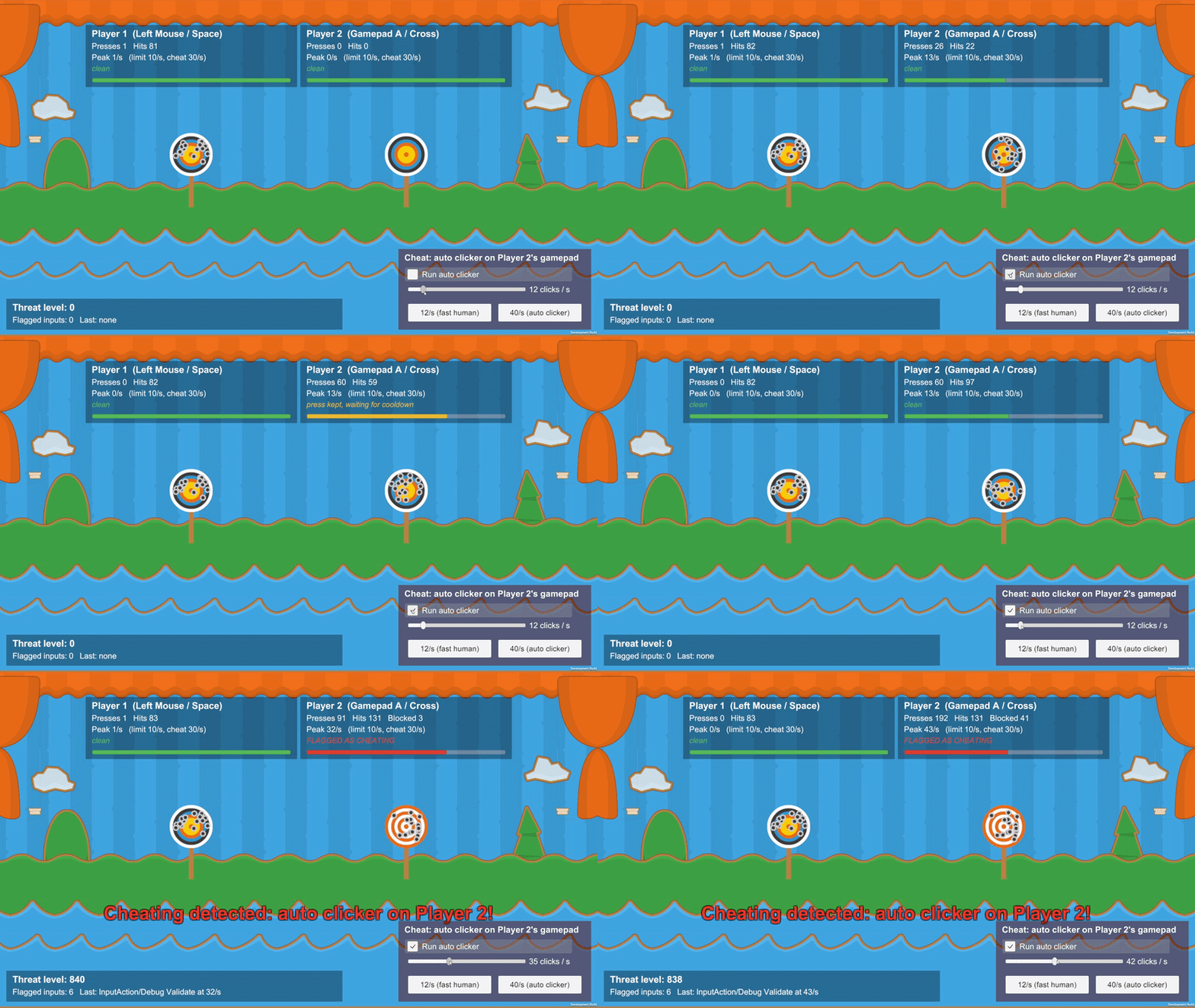
Desktop platforms (Windows, macOS, Linux) come with their own toolbox of cheating techniques: mod loaders that inject before your runtime starts, user- and kernel-mode debuggers that pause and inspect your process, and virtual machines used to ease memory inspection or run automation farms. Because most of these tools attach to the game before C# code runs, they cannot reliably be blocked from inside Unity. AntiCheat therefore focuses on robust detection and forwards every finding to the 'AntiCheat-Monitor', so you can react with the existing punisher infrastructure (exit, reduce FPS, mirror camera, custom callbacks, ...).
Desktop:
Detect Mod Loaders: Detect injected mod loaders such as BepInEx, MelonLoader, UnityDoorstop, HarmonyLib, or MonoMod by scanning loaded managed assemblies, suspicious native modules (e.g. 'winhttp.dll' / 'version.dll' loaded from the game folder), and the game directory layout.
Detect Debuggers: Detect attached managed debuggers via 'System.Diagnostics.Debugger.IsAttached', user-mode debuggers via OS-specific probes ('IsDebuggerPresent' / 'NtQueryInformationProcess' on Windows, 'P_TRACED' on macOS, 'TracerPid' on Linux), and kernel-mode debuggers via 'NtQuerySystemInformation' on Windows. Kernel-mode coverage on macOS and Linux is reserved for a future native plugin.
Detect Virtual Machines: Detect virtualization (VMware, VirtualBox, Hyper-V, QEMU, Parallels) via MAC address OUI scanning, BIOS / DMI string checks, guest-additions service registry keys, and the CPUID hypervisor bit. VM detection is intentionally tunable because legitimate users (developers, QA, cloud streaming, corporate machines) often run inside virtual environments - we recommend pairing it with a soft reaction.
All desktop detectors are configured from a single 'Desktop' tab in 'Project Settings -> GuardingPearSoftware -> AntiCheat'.